Keeping your private data safe has never been more crucial. As our iPhones store sensitive information like photos, passwords, and banking details, security is a top concern. Apple anticipated this need and introduced Two-Factor Authentication (2FA), a smart, built in safeguard that ensures only you can access your Apple ID, even if someone discovers your password. This article breaks down exactly how it works, why you need it, and how to set it up on your iPhone.
What Is Apple Two Factor Authentication
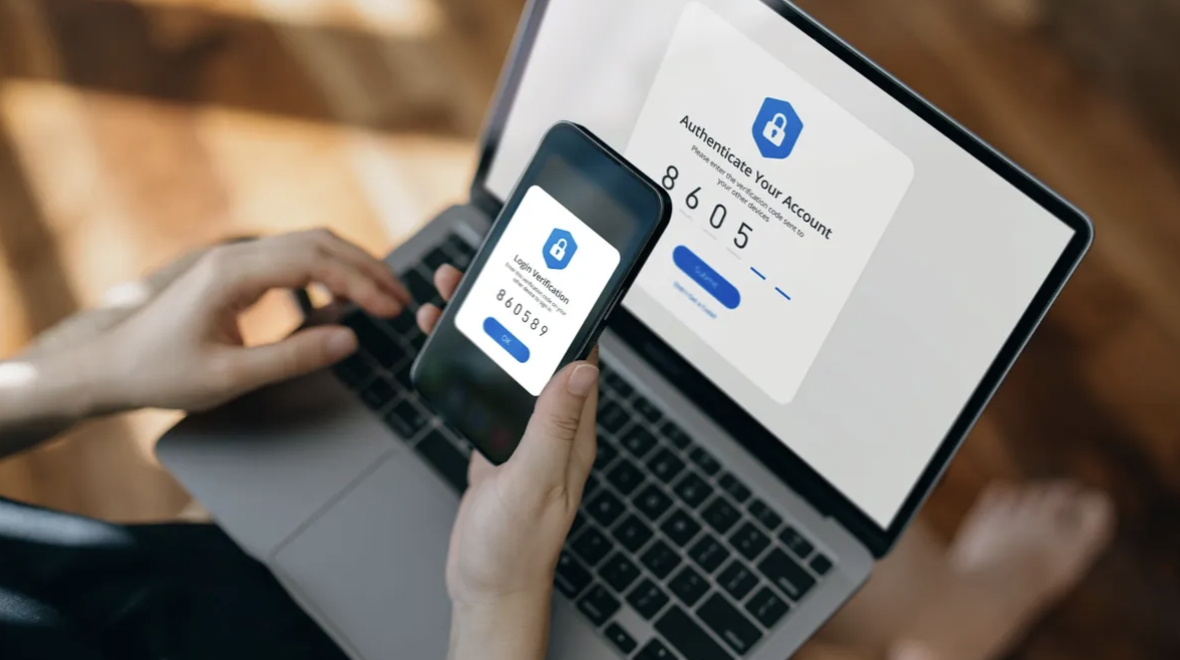
Apple’s Two-Factor Authentication is an advanced security feature that goes beyond the traditional password login. It demands two forms of proof before granting access: a password (what you know) and a six digit verification code (what you receive).
When you or someone else tries to log in using your Apple ID on a new device, Apple instantly sends a verification code to one of your trusted devices or registered phone numbers. Without that code, access is denied.
Simply put, 2FA serves as an additional lock on your digital door simple to use, yet very tough for intruders to bypass.
How Apple Two Factor Authentication Works on iPhone
The setup is automatic once you enable it, but understanding the process helps you see its value. Here’s a quick overview of how it operates:
- You attempt to sign in with your Apple ID on a new iPhone, iPad, or computer.
- Apple recognizes the login and sends a special six digit code to your trusted device.
- You input that code into the new device to verify your identity.
After completing this step, your new device becomes “trusted.” You won’t need to repeat verification on the same device unless you sign out, erase it, or reset your password.
Why iPhone Users Should Use Two Factor Authentication
1. Greater Protection Against Hacks
Passwords can be stolen or guessed, but with 2FA, hackers would also need access to your trusted device, drastically lowering your risk of data theft.
2. Real Time Security Alerts
Whenever someone tries to sign into your account, Apple immediately notifies all your trusted devices. You can deny the attempt, effectively blocking unauthorized access before it happens.
3. Seamless Apple Integration
Unlike many third-party security tools, Apple’s 2FA is built right into the iOS system. It runs quietly in the background while maintaining top level protection.
4. Total Peace of Mind
You can rest assured that your personal data, from family photos to payment information, remains locked behind Apple’s secure ecosystem.
Steps to Enable Two Factor Authentication on iPhone
Activating Apple 2FA is quick and straightforward. Follow these steps:
- Open the Settings app on your iPhone.
- Tap your Apple ID name at the top.
- Select Password & Security.
- Tap Turn On Two Factor Authentication.
- Add or confirm your trusted phone number to receive verification codes.
Once activated, any future sign ins to your Apple account will require both your password and a confirmation code, making it incredibly difficult for unauthorized users to access your data.
Maintaining Access and Recovery Tips
Losing your trusted device doesn’t mean you’re locked out forever. You can request the verification code through your trusted phone number via text or call.
For extra security, consider setting up a secondary trusted number, perhaps for a close family member, so you always have a backup option. You can also generate a recovery key, a unique code Apple provides for regaining access if you lose both your password and devices. Store it securely in a private offline location.
Final Thoughts
Two Factor Authentication is a simple yet powerful way to fortify your Apple ID. In just a few taps, you create a secure barrier that protects your personal, financial, and cloud stored information.
With Apple’s seamless design, using 2FA hardly affects convenience but significantly increases security. In a world where data breaches are common, turning on this feature is one of the wisest choices any iPhone user can make.
So, take a minute to enable Two Factor Authentication today, it’s one small step for setup, one giant leap for your digital safety.