When it comes to competitive gaming or immersive single-player adventures, your gear can make or break your performance. Among all gaming accessories, the gaming mouse and keyboard combination holds the greatest influence on speed, accuracy, and comfort. In this detailed guide, we’ll explore why investing in high-quality gaming peripherals matters, how to choose the best options, and which features truly enhance your gaming experience. Whether you’re a beginner or an aspiring eSports competitor, understanding your tools can take your gameplay to the next level.
Why a Gaming Mouse and Keyboard Matter
A standard office mouse and keyboard might suffice for casual gamers, but when milliseconds count, specialized gaming hardware is a must. Gaming mice and keyboards are designed for precision, customization, and endurance. They offer higher response rates, ergonomic designs for long sessions, and programmable options that adapt to every playstyle, from fast-paced shooters to strategy games requiring quick macro commands.
Using a gaming-optimized setup doesn’t just improve performance. It also reduces fatigue, minimizes input lag, and provides tactile feedback that enhances immersion and control. Simply put, the right hardware helps your hands translate intentions into instantaneous in-game actions.
Essential Qualities to Consider When Choosing a Gaming Mouse
Not all gaming mice are created equal. Consider these key factors before making a purchase decision:
- DPI and Sensor Quality:
DPI, or dots per inch, measures the sensitivity of your mouse, indicating how quickly it responds to movement. Higher DPI equals faster cursor speed. Most modern gaming mice feature adjustable DPI settings, often ranging from 400 to over 20,000. Optical or laser sensors track movement; optical sensors are better for precision, while laser sensors offer more surface flexibility. - Ergonomics and Grip Style:
Comfort during long gaming marathons is critical. Consider your natural grip, palm, claw, or fingertip style. Ergonomically shaped mice fit your hand snugly, reducing strain and increasing control. Ambidextrous designs work well for left-handed players. - Programmable Buttons:
Additional buttons make all the difference in complex games. An MMO gamer benefits from multiple side buttons for customized macros, while an FPS player might need just two for reloading or melee attacks. - Polling Rate and Response Time:
Polling rate, expressed in hertz (Hz), indicates how frequently your mouse sends its position updates to the computer. A higher rate, like 1000 Hz, means smoother, more responsive tracking. - Build Quality and Weight:
Lightweight designs provide faster movements, but some players prefer a heavier mouse for stability. Many modern mice include adjustable weights so you can find your comfort zone.
Essential Features of a Gaming Keyboard
Your keyboard is the command center of your gaming rig. It’s where every movement, spell, and action originates. Here’s what to consider:
- Mechanical vs. Membrane Switches:
Mechanical keyboards are the gold standard for gamers. They use individual switches under each key, offering tactile feedback, quicker actuation, and longer lifespan. Membrane keyboards are quieter and cheaper but lack precision and durability. - Key Rollover and Anti-Ghosting:
Ever pressed multiple keys and had one fail to register? Key rollover ensures every keystroke counts, even when several are pressed simultaneously, crucial for fast-paced play. - Backlighting and RGB Customization:
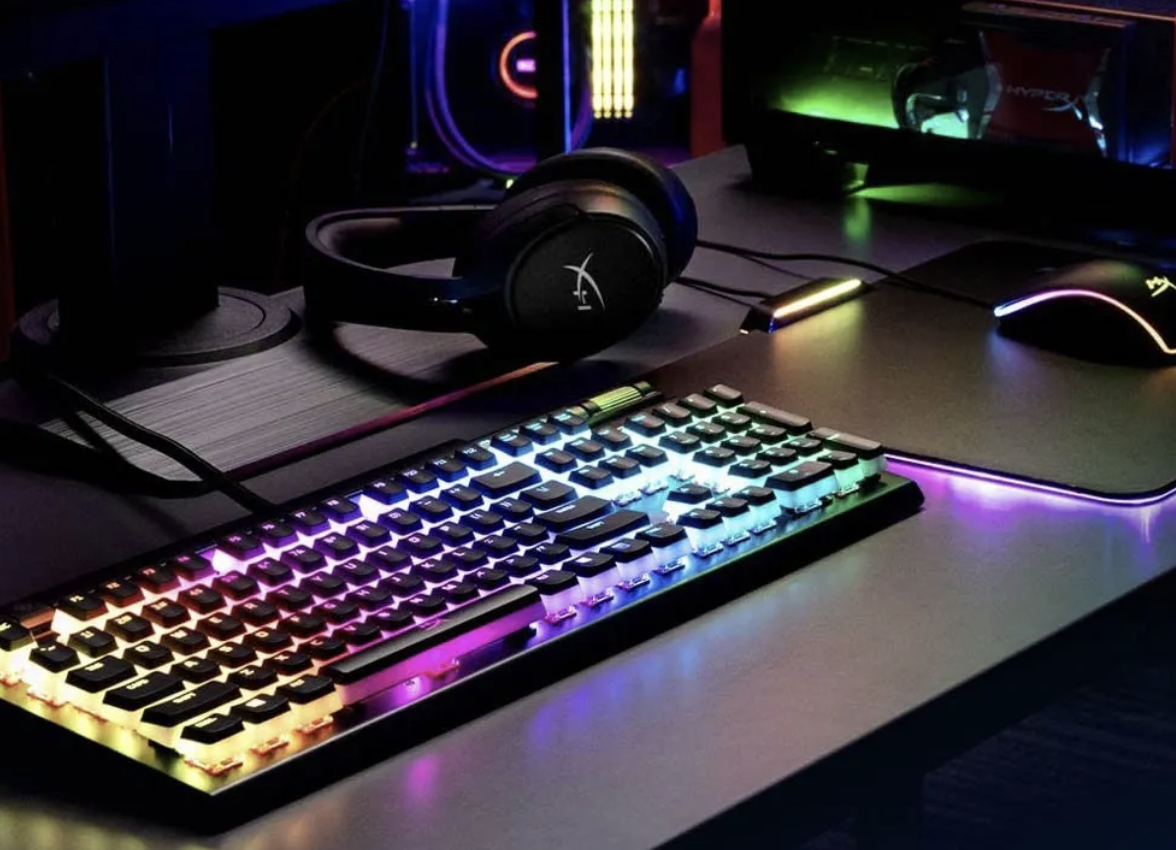
Beyond aesthetics, customizable lighting helps you identify key zones in low light. Many gaming keyboards feature per-key RGB lighting so you can color-code layouts for different games. - Programmable Macros and Function Keys:
These let you execute complex commands with a single keypress, saving vital seconds during gameplay. For strategy and MMO players, macros can be game-changers. - Build and Design:
Solid aluminum frames or reinforced plastic housings provide stability. Wrist rests and angled layouts improve comfort during extended sessions.
Wired vs. Wireless: The Modern Debate
For years, wired peripherals dominated gaming due to minimal latency. However, wireless technology has evolved dramatically. Today’s premium wireless gaming mice and keyboards boast ultra-low latency, long battery life, and interference-free connectivity. If a clutter-free desk is important, high-end wireless options offer performance nearly identical to wired devices.
Optimizing Your Setup for Maximum Gaming Efficiency
Once you’ve chosen the right gaming mouse and keyboard, configuration is key. Fine-tune DPI settings, adjust button assignments, and calibrate sensitivity based on the games you play. Many manufacturers include software suites, like Logitech G HUB, Razer Synapse, or Corsair iCUE, that allow deep customization, from lighting profiles to macro creation. It’s worth investing a few minutes here; a personalized setup dramatically boosts comfort and accuracy.
Additionally, pair your gear with a smooth, large mouse pad to enhance tracking consistency. Proper hand positioning and posture prevent strain during long sessions, small habits that make a big difference over time.
Conclusion
A great gaming mouse and keyboard aren’t just flashy accessories; they’re precision tools that translate your skill into seamless execution. Investing in quality peripherals means smoother gameplay, fewer mistakes, and more comfort when chasing victory. Whether you’re aiming for professional eSports or just more satisfying weekend sessions, the right tools amplify your potential and make every click count.