
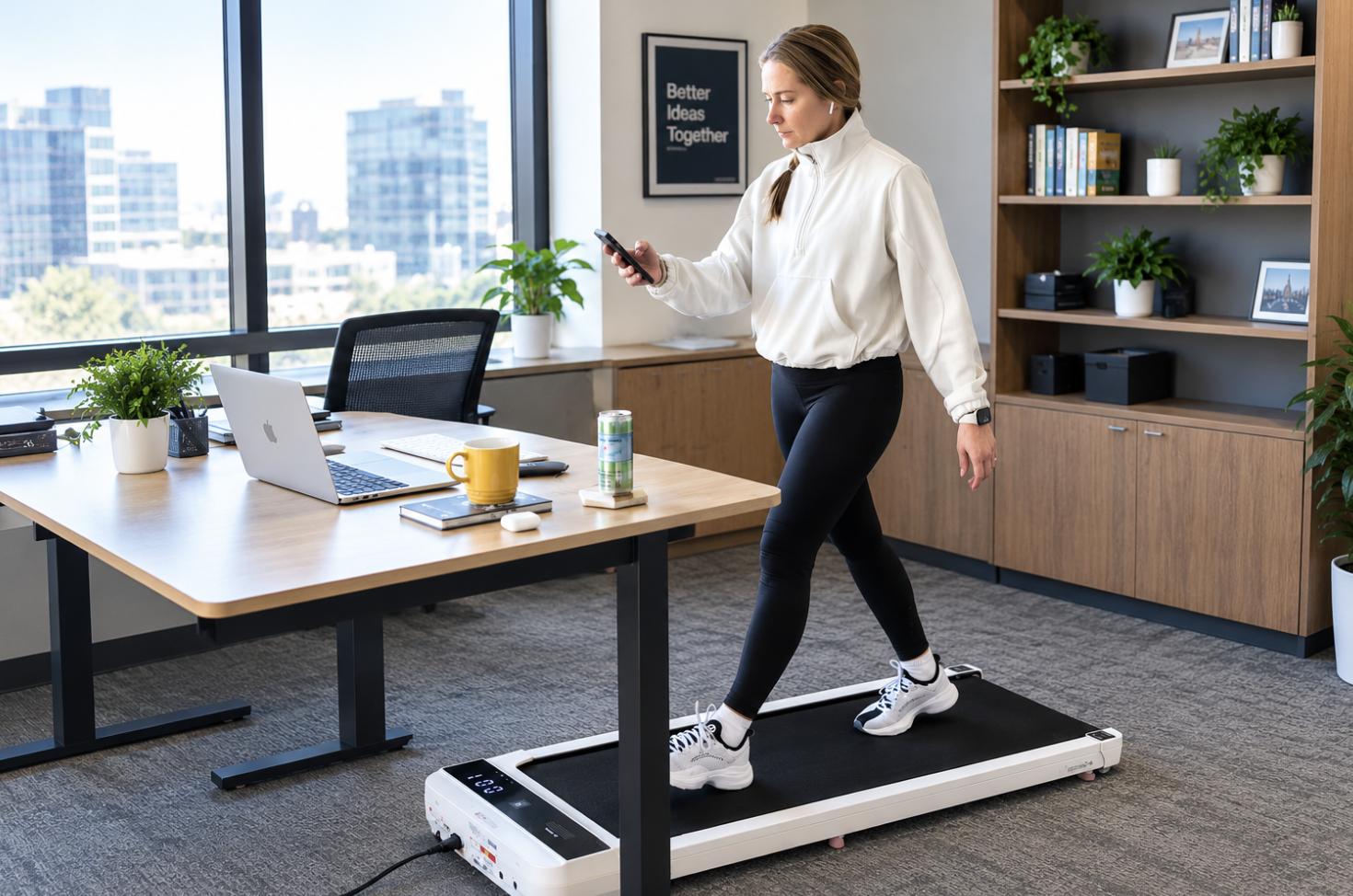
Remote and hybrid work arrangements have pushed a steady wave of compact fitness equipment into home offices, and walking pads now sit near the very top of that list. These slim, low-profile treadmills slide neatly under a standing desk and let someone walk at a slow, steady pace while typing, taking calls, or reading through documents.
The pitch is appealing: turn sedentary desk hours into light movement without carving out separate workout time.
This article looks at whether the research and real-world experience back up that promise, what buyers should weigh carefully before purchasing one, and how to set realistic, grounded expectations for what a walking pad can and cannot do for health and overall fitness.
Assessing What the Research Really Shows About Light Movement
Studies on sedentary behavior consistently link long uninterrupted periods of sitting to a range of health concerns, independent of whether someone also exercises regularly outside of work hours. This research distinction matters because it suggests that breaking up sitting time with light movement offers benefits separate from, not merely overlapping with, a structured workout routine done at a different time of day.
Walking at a slow pace, the speed most walking pad users maintain while working, falls into a category researchers call light-intensity physical activity. Even at this low intensity, consistent movement throughout the day has been associated with improved blood sugar regulation, better circulation, and modest increases in daily calorie expenditure compared with sitting the entire time instead.
- Sedentary behavior research: Studies linking prolonged sitting to health concerns regardless of separate exercise habits.
- Light-intensity classification: Slow walking speeds that still register as real movement compared with sitting still.
- Blood sugar effects: Some evidence suggests light movement after meals helps moderate post-meal blood sugar spikes.
- Calorie expenditure: Modest but consistent increases in daily energy use compared with a fully seated workday.
What the research does not support is the idea that a walking pad replaces the benefits of more vigorous exercise. The evidence points to walking pads filling a different role, reducing the health costs of prolonged sitting rather than delivering the cardiovascular training effect of a dedicated workout.
Researchers sometimes describe this category of movement using the term non-exercise activity thermogenesis, a somewhat technical label for the energy the body burns through everyday movement that falls outside formal exercise sessions. This concept predates walking pads by decades, originally studied through observations of people with naturally fidgety habits who burned more daily calories than sedentary peers despite similar diets and no structured workout routine.
Walking pads essentially offer a deliberate, engineered way to boost this category of movement for people whose jobs otherwise keep them seated for hours at a stretch, translating a passive observation about fidgeting into an active, repeatable habit. Long-term studies specifically tracking walking pad users remain limited compared with the broader body of sedentary behavior research, since the product category itself is still relatively new.
Most of the supporting evidence comes from adjacent research on standing desks, treadmill desks used in earlier workplace studies, and general light-activity research rather than studies designed around today’s compact consumer walking pads specifically. This gap is worth keeping in mind when evaluating bold marketing claims, since the underlying science supports the general concept more firmly than it supports any single product’s specific outcome promises.
Balancing Productivity With Physical Movement

A common concern among first-time buyers is whether walking while working hurts focus and task performance rather than helping overall wellbeing. The answer depends heavily on the task and the walking speed involved. At the slow speeds typical of desk walking, usually between one and two miles per hour, most users report minimal interference with typing accuracy, reading comprehension, or phone call clarity.
Tasks requiring fine motor precision, such as detailed graphic design work or precise data entry, tend to suffer more than tasks like email, reading, or voice calls. Many experienced users develop a practical rhythm, walking during lower-precision tasks and pausing the pad during work that demands closer attention or steadier hands.
- Low-precision tasks: Email, reading, and phone calls that blend well with slow continuous walking.
- High-precision tasks: Detailed design or data entry work where pausing often works better.
- Speed adjustment: Slowing down further during video calls to reduce background noise and visible movement.
- Break-based approach: Alternating between walking and sitting throughout the day rather than walking continuously.
Video calls deserve a specific mention, since camera framing and background treadmill noise can distract call participants if not managed carefully. Positioning the desk and camera to minimize visible bobbing, along with choosing a slower pace during calls, keeps the walking habit from becoming an obvious distraction to coworkers.
Cognitive research on walking and thinking offers a useful counterpoint to the focus concerns many first-time buyers raise. Several well-known studies have found that walking at a comfortable pace can support creative thinking and certain types of problem-solving, a finding that long predates walking pads and has informed the popularity of walking meetings in some workplaces.
This research suggests the relationship between movement and mental performance is not purely negative, and for tasks that benefit from loose, associative thinking rather than tight precision, light walking may support rather than hinder the work at hand.
Installing a Walking Pad Into an Existing Desk Setup
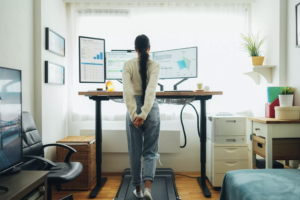
Most walking pads are designed to slide under a standing desk set at a height that allows comfortable arm position while walking, which is typically taller than a seated desk height. This means a fixed-height desk built for sitting usually does not accommodate a walking pad well, making an adjustable standing desk close to a practical requirement rather than an optional pairing.
Floor space is another practical consideration beyond desk height. Walking pads need enough clearance in front of and behind the unit for a safe stride, along with side clearance to avoid bumping into nearby furniture. Measuring the available floor space carefully before purchasing prevents the common disappointment of receiving a unit too large for the intended spot.
- Desk height compatibility: An adjustable standing desk set to proper walking height, not a fixed seated-height desk.
- Floor clearance: Adequate space in front, behind, and beside the pad for a safe, natural stride.
- Flooring surface: Carpet versus hardwood affecting stability and the need for a protective mat underneath.
- Power and outlet access: A nearby outlet, since most units plug in rather than running on battery power.
Noise transfer through flooring is worth checking in apartments or multi-level homes, since the rhythmic vibration from walking can carry to the space below more than expected, especially on wood or laminate flooring without a cushioning mat underneath.
Cable management around the walking pad deserves attention during setup as well, since a standing desk already involves monitor, keyboard, and charging cables that need to clear the moving belt safely.
Running cables up through a desk grommet or along a vertical cable sleeve, rather than letting them dangle near floor level, prevents them from catching on the belt or getting pulled by foot contact during a walking session. Many walking pad owners also add a small side table or rolling cart nearby for items like a water bottle or phone, keeping the immediate walking area clear of loose objects that could become a tripping hazard during use.
Doorway and furniture placement around the walking area also matter more than most buyers expect before living with the setup. A walking pad positioned too close to a doorway can create an awkward entry point for other household members, while one positioned near a low shelf or cabinet risks an accidental bump during a misstep. Walking through the intended setup mentally, or even taping out the expected footprint on the floor before purchase, helps confirm the space truly works before the unit arrives.
Maintaining a Walking Pad for Long-Term Reliability
Like any treadmill, a walking pad’s belt and motor benefit from basic routine maintenance that extends the unit’s working life by a wide margin beyond what happens with no maintenance at all. Belt lubrication, usually needed every few months depending on usage frequency, keeps friction low and prevents premature motor strain that can otherwise shorten a unit’s lifespan.
Dust and debris accumulation under the belt is a common issue in home environments with pets or carpeted floors nearby, since fine particles can work their way into the motor housing over time. Periodically lifting the unit for a basic cleaning underneath, following the manufacturer’s specific instructions for that model, helps prevent the kind of gradual wear that leads to unusual noise or reduced performance.
- Belt lubrication: Routine application of manufacturer-recommended lubricant every few months of regular use.
- Debris cleaning: Periodic cleaning underneath the unit to prevent dust buildup around the motor.
- Alignment checks: Occasional verification that the belt tracks straight rather than drifting to one side.
- Weight limit awareness: Staying within the manufacturer’s rated weight limit to avoid excess motor strain.
Warranty coverage varies notably between budget and premium models, with many budget units offering only a one-year warranty on the motor compared with two or three years on higher-priced models, a difference worth weighing against the price gap when comparing options.
Belt replacement, while less common than lubrication, becomes necessary over a long enough ownership period, especially for households using a unit for several hours daily. Signs that a belt needs replacing include visible fraying along the edges, a persistent burning smell during operation, or a belt that no longer tracks evenly despite recent alignment adjustments. Ordering a manufacturer-specific replacement belt rather than a generic substitute helps ensure proper fit and avoids the kind of mismatched tension that can damage the motor over time.
Humidity and temperature in the installation area also affect long-term reliability more than many buyers anticipate. A walking pad placed in a garage conversion office or a similarly less climate-controlled space may experience belt stiffness in cold conditions or accelerated wear from humidity swings compared with a unit kept in a consistently climate-controlled room. Checking a manufacturer’s recommended operating temperature range before placing a unit in a less typical home office location can prevent premature wear tied purely to environmental conditions rather than usage patterns.
How Walking Speed and Incline Affect Results
Most walking pads offer a speed range roughly between half a mile per hour and four miles per hour, though the higher end of that range is rarely practical while simultaneously handling desk work. Some models also include a slight incline feature, which increases calorie burn modestly compared with flat walking at the same speed, without requiring a faster pace that would interfere more with typing or precision tasks.
Choosing a speed that allows comfortable typing without excessive arm movement typically lands between one and two miles per hour for most users, a pace slow enough to maintain steady hands on a keyboard while still registering as continuous light movement throughout the workday. Faster speeds closer to three miles per hour generally require pausing active typing, reserving that pace for calls, reading, or short walking breaks between tasks.
- Typing-compatible speeds: One to two miles per hour for most users maintaining keyboard accuracy.
- Call and reading speeds: Slightly higher speeds, up to around two and a half miles per hour, workable for less precise tasks.
- Incline features: A modest grade option increasing calorie burn without requiring a faster walking pace.
- Interval approaches: Alternating faster short bursts with slower sustained walking throughout a longer session.
Tracking total daily walking time and distance through a built-in display or paired fitness app gives a clearer sense of cumulative movement than relying on a vague impression of how much walking happened during a given workday.
Why Realistic Expectations Matter More Than Marketing Claims
Marketing materials for walking pads sometimes imply dramatic weight loss or fitness transformation results, language that oversells what a device delivering light-intensity movement can reasonably achieve on its own. The honest framing is that a walking pad reduces the health costs associated with sitting all day and adds a modest amount of extra calorie expenditure, rather than functioning as a substitute for structured cardiovascular exercise.
Setting expectations around this realistic framing prevents the common pattern of enthusiastic initial use followed by disappointment and eventual abandonment once a buyer realizes the bathroom scale has not moved as much as advertising implied. Pairing a walking pad with other movement throughout the day, rather than treating it as a complete fitness solution, produces more durable satisfaction with the purchase over the months following the initial excitement of a new piece of equipment.
- Weight loss expectations: Modest calorie contributions rather than dramatic, standalone transformation results.
- Complementary role: Best used alongside other exercise rather than replacing a structured workout routine entirely.
- Consistency over intensity: Daily light movement adding up over months rather than occasional intense sessions.
- Non-scale benefits: Improved energy, circulation, and reduced stiffness that may matter more than a shifting number on a scale.
Framing success around consistency of use, such as walking most workdays for a reasonable stretch each day, tends to produce a more sustainable and satisfying long-term relationship with the equipment than chasing a specific weight-related target. Buyers who adjust their expectations along these lines before purchase tend to report higher satisfaction months later than those who bought based purely on bold before-and-after marketing imagery.
Final Thoughts
Walking pads deliver on a specific, modest promise: breaking up long sedentary stretches with light movement that research supports as beneficial for metabolic and circulatory health, separate from whatever structured exercise someone does outside of work hours.
They are not a substitute for a complete fitness routine, and buyers expecting dramatic transformation results from slow desk walking alone, without any other changes to diet or activity, are likely to be disappointed.
For anyone realistic about that role, who has the desk height, floor space, and daily schedule to support regular use, a walking pad can become a durable, low-friction habit that quietly improves how a workday feels, even if it never replaces a dedicated workout session altogether.
Frequently Asked Questions
Can a walking pad replace a gym membership entirely?
Not reliably. Walking pads provide light-intensity movement that offsets some risks of prolonged sitting, but they do not replicate the strength training or higher-intensity cardiovascular work that a structured gym routine typically provides.
Is it safe to take video calls while using a walking pad?
Yes, at a slow enough pace. Many users reduce speed sharply or pause the pad entirely during video calls to minimize background noise and visible movement that coworkers might find distracting during a meeting.
How much does a walking pad typically cost?
Prices generally range from a few hundred dollars for basic entry-level models to well over a thousand dollars for premium versions with advanced features like app connectivity, incline adjustment, and quieter motors suited to shared living spaces.
Do walking pads work on carpeted flooring?
Many models work on carpet, though a dense or thick pile may require a stability check, and some manufacturers recommend a hard, flat surface or a protective mat for the most reliable performance over time.
How many steps does a typical desk walking session add?
This varies widely by speed and duration, but a consistent hour or two of slow walking during a workday can add quite a bit to a daily step count, often contributing several thousand additional steps beyond a typical sedentary office day.
Are walking pads loud enough to disturb other people in the home?
Noise levels vary by model and flooring type, with motor hum and belt vibration both contributing. Placing a mat underneath the unit and choosing a model marketed for quiet operation helps reduce disturbance in shared or multi-level homes.