
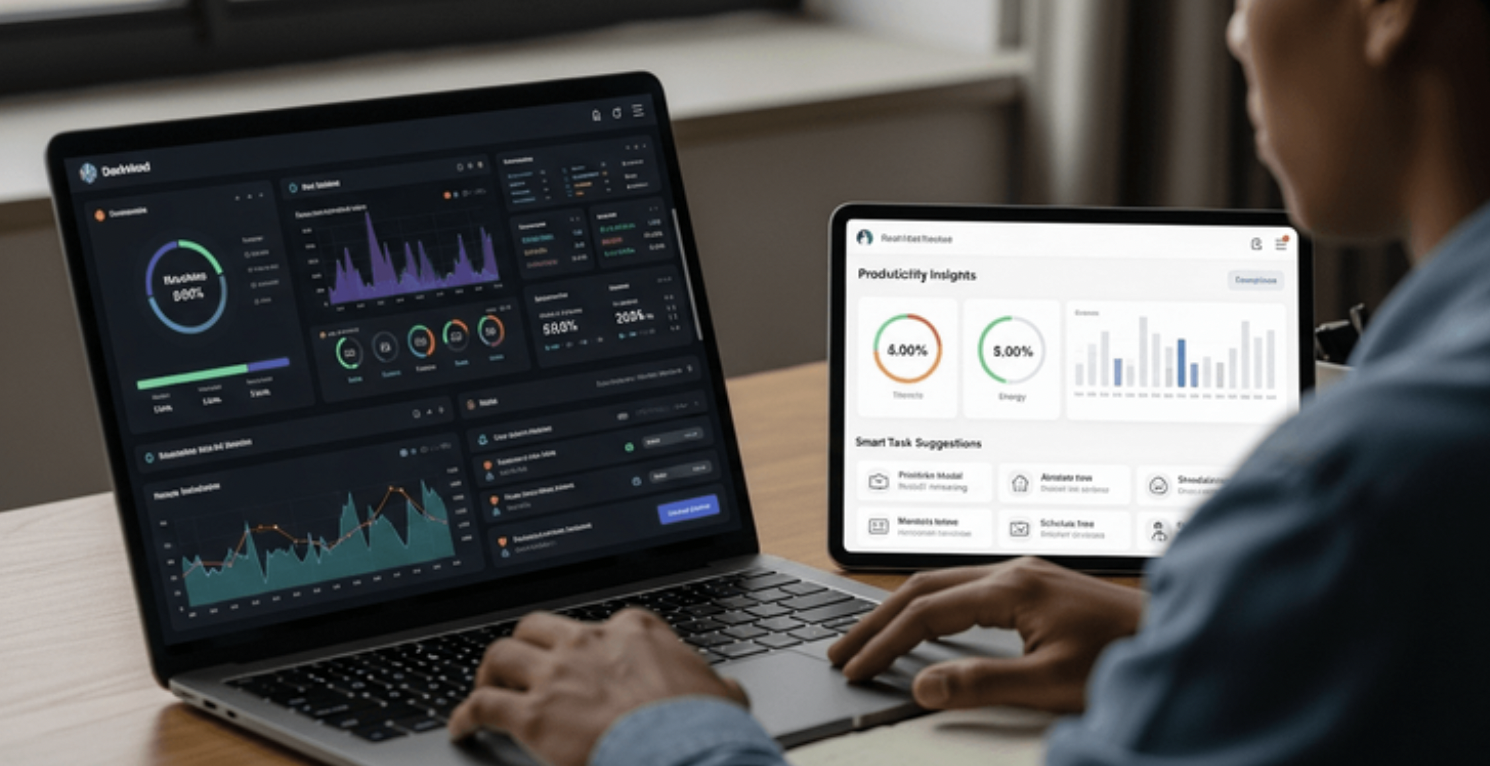
The workplace of 2026 looks dramatically different from the office culture people knew just five years ago. AI assistants are now embedded across email platforms, spreadsheets, calendars, CRMs, project management tools, and communication systems. They summarize conversations, draft documents, analyze data, and even automate workflows without needing technical expertise. Companies are embracing AI because employees are overwhelmed with “work about work.” Research indicates knowledge workers spend huge portions of their day handling status updates, repetitive communication, and coordination tasks instead of deep, meaningful work.
This shift is not just hype driven by Silicon Valley marketing campaigns. Real organizations are seeing measurable gains. Large enterprises deploying AI copilots report faster task completion, improved communication, and better information accessibility. For example, enterprise AI adoption has accelerated sharply, with Microsoft Copilot reportedly reaching tens of millions of enterprise seats globally in 2026.
The interesting part is that AI productivity isn’t replacing humans the way many feared. Instead, it’s behaving more like a supercharged assistant. Imagine having an intern who never sleeps, instantly summarizes reports, drafts emails in seconds, and organizes your calendar without complaining. That’s essentially what modern AI tools are becoming. They amplify human productivity rather than eliminate it.
Another reason these tools have come to dominate modern workspaces is the rapid rise of remote and hybrid work. Teams are scattered across cities and countries, making coordination harder than ever. AI tools reduce communication bottlenecks and help asynchronous teams stay aligned. Meeting summaries, automated task creation, and smart document organization help teams collaborate even when they never share the same office.
Recommended read:
What Makes an AI Productivity Tool Truly Useful
Not every AI tool is worth including in your workflow. Some tools look flashy during demos but become frustrating in daily use. Others quietly save hours every week without demanding attention. The difference typically comes down to usability, integration, and reliability.
The best AI productivity tools solve real problems instead of creating new ones. If a tool takes longer to learn than the time it saves, it becomes digital clutter. Great AI software should feel almost invisible. It should integrate seamlessly with the apps you already use, whether that’s Gmail, Slack, Microsoft Teams, Google Docs, or Notion.
Accuracy also matters enormously. Fast AI provides little value if it repeatedly produces inaccurate information or low-quality outputs. Many professionals now prefer tools that prioritize thoughtful responses over speed. This explains why platforms like Claude and ChatGPT remain dominant in long-form reasoning and writing tasks.
Another major factor is automation capability. AI productivity tools become truly powerful when they connect multiple systems. For instance, a meeting assistant can summarize a Zoom call, create tasks in Notion, send updates to Slack, and schedule follow-up reminders automatically. That kind of workflow automation removes repetitive administrative work from your plate.
Privacy and security have also become critical considerations in 2026. Businesses are cautious about sharing confidential documents with AI systems. Many vendors now emphasize enterprise-grade encryption, privacy policies, and secure AI deployment to address these concerns. Companies seek productivity improvements without exposing sensitive information to unnecessary risk.
Best AI Writing and Content Productivity Tools
ChatGPT
OpenAI continues to dominate the productivity landscape with ChatGPT because of its versatility. In 2026, it’s more than a chatbot. It acts like an all-in-one productivity assistant capable of brainstorming ideas, writing emails, generating reports, analyzing files, coding, and automating repetitive communication tasks. Many professionals describe it as the Swiss Army knife of AI productivity tools because it adapts to so many workflows.
One reason ChatGPT remains popular is its flexibility. A marketer can use it to draft campaigns, while a manager can summarize meetings, and a developer can debug code. The ability to create custom GPTs also gives teams specialized assistants tailored to specific workflows. Businesses are building internal AI helpers for HR, customer support, sales, and documentation.
The biggest advantage of ChatGPT is conversational interaction. Instead of clicking through endless menus, users simply explain what they need in plain English. That natural interaction lowers the barrier to entry and makes AI accessible to non-technical professionals.
Claude
Anthropic designed Claude with a strong emphasis on reasoning ability, high-quality writing, and long-context understanding.. Many professionals now prefer Claude for deep work tasks such as analyzing contracts, summarizing research papers, or writing detailed reports. Its ability to process extremely long documents has become a major competitive advantage.
Writers especially appreciate Claude because its outputs often sound more natural and polished compared to other AI systems. Instead of producing robotic text, it tends to generate thoughtful and structured content that requires less editing. Teams working on documentation, strategy reports, and educational materials often choose Claude for this reason.
Another strength is contextual memory. Claude can maintain coherence across large projects, making it valuable for professionals dealing with extensive documentation. Imagine asking an assistant to remember an entire book while helping you write the next chapter. That’s the type of capability Claude brings to productivity workflows.
Grammarly AI
Grammarly has evolved far beyond grammar correction.In 2026, it acts as a communication coach, enhancing tone, clarity, and professionalism in emails, reports, presentations, and social media content.
Professionals use Grammarly AI because communication mistakes are expensive. Poorly written emails can confuse clients, damage credibility, or create unnecessary back-and-forth conversations. Grammarly helps reduce friction by suggesting concise, polished alternatives in real time.
One underrated advantage is tone detection. The AI identifies whether your writing sounds too aggressive, too casual, or unclear. That emotional intelligence matters more than many people realize. Digital communication lacks facial expressions and vocal cues, making wording especially important in remote work environments.
Best AI Research and Knowledge Tools
Perplexity AI
Perplexity AI has become one of the strongest tools for research-heavy professionals. Unlike traditional search engines that overwhelm users with links, Perplexity provides direct answers supported by cited sources.
Researchers, journalists, marketers, and analysts love Perplexity because it dramatically reduces research time. Instead of opening twenty browser tabs, users receive summarized information with references attached. This improves both speed and trustworthiness.
The tool shines particularly in competitive research, trend analysis, and quick fact-checking. Professionals who spend hours gathering information can now compress research tasks into minutes. It’s like having a research assistant constantly scanning the internet for relevant insights.
Google Gemini
Google continues pushing Gemini deeply into the Google Workspace ecosystem. Gmail, Docs, Sheets, Meet, and Drive now include AI features designed to streamline workflows.
Gemini excels for organizations already using Google Workspace because the integration feels seamless. Users can summarize email threads, generate spreadsheets, create presentations, and organize documents without leaving their workspace.
The real strength of Gemini lies in contextual productivity. Since it connects across Google services, it understands relationships between emails, files, meetings, and projects. That interconnected intelligence makes workflows smoother and reduces information silos.
Best AI Project Management and Organization Tools
Notion AI
Notion has transformed from a note-taking app into a full AI-powered workspace. Teams now use it for project management, documentation, wikis, task tracking, and collaborative knowledge management. Industry reviewers consistently rank Notion among the top productivity platforms of 2026.
The magic of Notion AI comes from consolidation. Instead of scattering information across multiple apps, teams centralize everything into one connected workspace. Meeting notes link directly to projects, tasks, and documentation.
AI features inside Notion can summarize notes, generate project plans, answer questions about company documentation, and automate repetitive organization tasks. This turns the platform into a kind of company brain where information becomes searchable and actionable.
Motion
Motion focuses heavily on calendar optimization and intelligent scheduling. For professionals drowning in meetings and deadlines, Motion acts like a personal time strategist.
The platform automatically reorganizes schedules based on priorities, deadlines, and workload. Instead of manually planning your day, Motion continuously adjusts your calendar to maximize productivity.
This may sound simple, but it addresses a massive workplace problem: fragmented attention. Constant task switching destroys focus. Motion helps users reclaim deep work time by intelligently structuring schedules around concentration and priorities.
Best AI Meeting Assistants
Otter.ai
Otter.ai continues to be a leading tool for meeting transcription and note-taking.
Meetings consume enormous chunks of the modern workweek, and much of that information gets lost immediately afterward. Otter solves this problem by recording conversations, generating transcripts, highlighting action items, and creating summaries automatically.
Teams no longer need dedicated note-takers. Everyone can focus on the conversation while the AI handles documentation. That shift improves engagement and reduces post-meeting confusion.
Fireflies.ai
Fireflies.ai offers similar capabilities but adds deeper integrations with CRM and collaboration tools. Sales teams particularly love Fireflies because it tracks customer conversations and extracts valuable insights automatically.
The platform can identify follow-ups, objections, and important discussion points without manual input. This transforms meetings from passive conversations into structured data sources that feed productivity systems.
Best AI Tools for Developers
GitHub Copilot
GitHub revolutionized coding workflows through GitHub Copilot. Developers use it for autocomplete suggestions, debugging help, documentation generation, and rapid prototyping.
Coding productivity has changed dramatically because AI handles repetitive programming tasks. Developers spend less time writing boilerplate code and more time solving meaningful engineering problems.
Interestingly, researchers note that developers still want human control over critical decisions.AI is most effective when used as a collaborator rather than as a replacement.
Cursor AI
Cursor has emerged as one of the most exciting developer tools in 2026. It supports multi-file editing, intelligent code analysis, and conversational coding workflows.
Developers increasingly prefer Cursor because it feels like pair programming with an extremely fast collaborator. The AI understands large codebases and assists with architectural decisions instead of just writing snippets.
Best AI Automation Platforms
Zapier AI
Zapier helps businesses connect apps and automate workflows without coding. In 2026, AI-powered automation has become much more accessible to non-technical users.
Instead of manually moving information between tools, Zapier automates repetitive processes. For example, a lead form submission can automatically trigger CRM updates, Slack notifications, email sequences, and calendar scheduling.
This kind of automation compounds productivity gains across organizations. Even saving five minutes per repetitive task can translate into hundreds of hours annually.
Make
Make offers advanced workflow automation with visual builders and AI integrations. Businesses use it for complex multi-step automations that would otherwise require engineering resources.
The appeal of Make lies in flexibility. Teams can design highly customized workflows without needing extensive programming expertise.
Comparing the Top AI Productivity Tools in 2026
| Tool | Best For | Starting Price | Key Strength |
| ChatGPT | General productivity | $20/month | Versatility |
| Claude | Long-form writing | $20/month | Deep reasoning |
| Notion AI | Organization | Varies | Unified workspace |
| Perplexity AI | Research | $20/month | Cited answers |
| Grammarly AI | Communication | $12/month | Writing clarity |
| Otter.ai | Meetings | $10/month | Transcription |
| GitHub Copilot | Coding | $10/month | Developer support |
| Zapier AI | Automation | Varies | Workflow integration |
How to Choose the Right AI Tool for Your Workflow

Choosing the right AI productivity tool is less about finding the “best” software and more about identifying your biggest bottleneck. If meetings consume your day, meeting assistants will provide the greatest value. If writing drains your energy, AI writing tools become essential.
Many professionals make the mistake of adopting too many AI tools at once. That creates confusion, subscription fatigue, and workflow fragmentation. A smarter strategy is starting with one tool that addresses your largest pain point.
You should also consider ecosystem compatibility. Microsoft users often gain the most from Copilot, while Google Workspace users may prefer Gemini integrations. The closer the AI sits to your existing workflow, the more useful it becomes.
Common Mistakes People Make With AI Productivity Tools
One of the biggest mistakes is expecting AI to think independently without supervision. AI tools still require human judgment. Blindly trusting outputs can lead to inaccurate information, weak communication, or flawed decision-making.
Another common issue is over-automation. Some professionals automate every process imaginable, only to create brittle systems that become difficult to manage. Productivity should feel smoother, not more complicated.
There’s also a tendency to chase hype. New AI apps launch daily, but most disappear quickly. Sustainable productivity comes from mastering a few reliable tools instead of constantly switching platforms.
The Future of AI Productivity in Workplaces
The next stage of AI productivity is shifting toward autonomous agents capable of handling multi-step workflows with minimal supervision. Companies are already experimenting with AI systems that manage scheduling, coordinate projects, generate reports, and monitor operations automatically.
At the same time, human skills are becoming more important rather than less. Critical thinking, creativity, communication, and strategic decision-making remain difficult for AI to replicate. In 2026, the most successful professionals are those who blend human insight with AI-driven efficiency.
AI productivity tools are also becoming increasingly personalized. Future systems will understand individual work styles, preferences, and habits to deliver tailored assistance. Imagine software that knows when you focus best, predicts workload overload, and proactively organizes your schedule before chaos begins.
Conclusion
AI productivity tools are no longer optional experiments for tech enthusiasts. They’ve become practical workplace essentials that save time, improve communication, and reduce repetitive work. Whether you’re a freelancer managing multiple clients, a startup founder balancing multiple responsibilities, or part of a large enterprise team, the right AI tools can significantly improve how you work.
The most effective approach is not replacing human intelligence with AI but combining the strengths of both. AI handles repetitive processes and information-heavy tasks while humans focus on creativity, judgment, and relationship-building. That balance is shaping the modern workplace in 2026.
The best AI productivity stack depends entirely on your workflow. Writers may rely heavily on Claude or ChatGPT, researchers may prefer Perplexity, developers may use Cursor and GitHub Copilot, while teams managing large projects may lean toward Notion AI and automation platforms like Zapier. The key is choosing tools that reduce friction and genuinely support your work instead of adding digital noise.
FAQs
1. Which is the best AI productivity tool in 2026?
The best overall AI productivity tool for most professionals is ChatGPT because of its versatility. It supports writing, research, coding, brainstorming, and workflow assistance in one platform.
2. Which AI tool is best for project management?
Notion AI is considered one of the strongest project management and organization tools because it combines notes, databases, tasks, documentation, and AI-powered assistance.
3. Are AI productivity tools safe for businesses?
Most major AI platforms now provide enterprise-grade security and privacy controls. Businesses should still review compliance policies before sharing sensitive information.
4. Can AI productivity tools replace employees?
AI tools are primarily designed to enhance human productivity rather than fully replace workers. They automate repetitive tasks while humans continue handling strategic and creative work.
5. What is the best AI tool for meeting summaries?
Otter.ai and Fireflies.ai are among the top AI meeting assistants for transcription, summaries, and action item extraction.