As businesses move more of their data and applications online, choosing the right cloud environment has become a major decision. While public cloud platforms are popular because they are affordable and easy to use, they are not always the best fit for every organization. Companies that deal with sensitive customer information, financial records, healthcare data, or government projects often need more control over where their data is stored and who can access it.
This is where a private cloud becomes valuable.
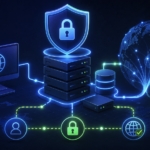
A private cloud offers many of the benefits of cloud computing, including scalability, virtualization, automation, and remote access, while giving a single organization exclusive use of the infrastructure. Unlike a public cloud where resources are shared among many customers, a private cloud is dedicated to one business.
But does that automatically make it the better choice?
Not necessarily.
Private cloud environments provide greater security and customization, but they also require higher investment, skilled management, and ongoing maintenance. Understanding these trade-offs helps businesses make informed decisions instead of simply following industry trends.
In this complete guide, you’ll learn what a private cloud is, how it works, its benefits and challenges, real-world use cases, common mistakes, implementation tips, and whether it is the right solution for your organization.
What Is a Private Cloud?
A private cloud is a cloud computing environment where all computing resources are dedicated to a single organization. Instead of sharing servers, storage, and networking with other businesses, one company owns or exclusively leases the entire infrastructure.
The infrastructure may be installed inside the company’s own data center or hosted by a cloud service provider. Regardless of where it is located, only one organization has access to it.
The purpose of a private cloud is to combine the flexibility of cloud computing with the control of traditional on-premises infrastructure.
For example, imagine a large hospital that stores millions of patient records. Medical information is highly sensitive and regulated by strict privacy laws. Rather than placing all patient data in a shared public cloud, the hospital builds a private cloud where only authorized employees can access the systems.
Employees still enjoy cloud features such as virtual machines, automated backups, resource scaling, and remote access, but the environment remains isolated from other organizations.
Private cloud platforms are commonly built using virtualization software that allows multiple virtual machines to run on the same physical hardware, making resource usage much more efficient than traditional servers.
In simple terms, a private cloud is your own personal cloud infrastructure designed exclusively for your organization.
How Does a Private Cloud Work?
Although users often interact with applications through a web browser or portal, a lot happens behind the scenes.
A private cloud starts with physical servers located either in a company’s own data center or inside a hosting provider’s facility. These servers are connected through high-speed networking and managed using virtualization software.
Virtualization divides powerful physical servers into multiple virtual machines. Each virtual machine behaves like an independent computer with its own operating system, applications, storage, and resources.
A cloud management platform then automates resource allocation. Administrators can create new virtual machines, allocate storage, configure networks, and monitor performance without physically touching the hardware.
When an employee requests additional computing resources, the cloud platform automatically provisions them.
For example, an online retailer experiences a surge in holiday traffic. Instead of installing new physical servers, administrators simply allocate more virtual resources inside the private cloud.
This flexibility allows businesses to respond quickly while maintaining complete control over infrastructure.
Many private clouds also include:
- Self-service portals
- Automated provisioning
- Backup and disaster recovery
- Identity and access management
- Resource monitoring
- Security policies
- Virtual networking
- Container orchestration
- High availability
The result is an environment that delivers cloud-like convenience without sharing infrastructure with other organizations.
Key Components of a Private Cloud
Every private cloud consists of several important building blocks working together.
Physical Infrastructure
This includes servers, storage devices, networking equipment, and backup systems. These form the foundation of the cloud.
Virtualization Layer
Hypervisors create multiple virtual machines from physical hardware, maximizing resource utilization while keeping workloads isolated.
Cloud Management Platform
Management software automates provisioning, monitoring, security, and resource allocation.
Storage Systems
Private clouds use centralized storage solutions that allow applications and virtual machines to access data quickly and securely.
Networking
Virtual networks separate workloads, improve security, and simplify communication between applications.
Security Tools
Firewalls, encryption, identity management, intrusion detection systems, and monitoring software protect sensitive information.
Each component contributes to creating a flexible and secure cloud environment.
Types of Private Cloud
Private clouds are not all built the same. Organizations can choose from several deployment models depending on their requirements.
On-Premises Private Cloud
The company owns and manages the entire infrastructure inside its own data center.
This option provides maximum control but also requires the greatest investment in hardware, maintenance, electricity, cooling, and IT staff.
Large banks often use this model because they need strict control over financial systems.
Hosted Private Cloud
A third-party provider owns the physical infrastructure while dedicating it exclusively to one customer.
The business gains private cloud benefits without maintaining its own data center.
This approach reduces operational complexity while preserving security and isolation.
Managed Private Cloud
The infrastructure remains dedicated to one organization, but the provider manages updates, monitoring, maintenance, backups, and security.
This option is ideal for organizations that lack large internal IT teams.
Private Cloud vs Public Cloud
Many beginners confuse these two deployment models.
| Feature | Private Cloud | Public Cloud |
|---|---|---|
| Ownership | Single organization | Shared among multiple customers |
| Security | Higher control | Strong security but shared infrastructure |
| Cost | Higher | Lower |
| Customization | Extensive | Limited |
| Maintenance | Customer or provider | Provider |
| Scalability | High | Extremely high |
| Compliance | Easier | Depends on provider |
| Performance | Predictable | May vary slightly |
Public cloud works well for startups, websites, and small businesses.
A private cloud is often preferred by organizations with strict security, compliance, or performance requirements.
Benefits of Using a Private Cloud
Enhanced Security
Since resources are not shared, businesses have greater control over firewalls, encryption, authentication, and monitoring.
Sensitive information remains isolated from other organizations.
Better Compliance
Industries such as healthcare, finance, insurance, and government often have strict regulatory requirements.
Private cloud environments make compliance easier because administrators control where data resides.
Greater Customization
Organizations can customize hardware, operating systems, networking, storage, and security settings according to their needs.
Public cloud platforms cannot always provide this level of flexibility.
Predictable Performance
Dedicated infrastructure means workloads are not affected by neighboring customers.
Applications experience more consistent performance during peak usage.
Improved Resource Control
IT teams decide exactly how computing resources are allocated.
Mission-critical applications receive priority without competing against external customers.
Easier Integration
Private clouds integrate smoothly with existing internal systems, databases, legacy applications, and enterprise software.
This reduces migration challenges.
Challenges of Private Cloud
Although a private cloud offers many advantages, it is not perfect.
Higher Initial Investment
Organizations may need to purchase servers, storage systems, networking equipment, and software licenses.
These upfront costs can be significant.
Ongoing Maintenance
Hardware updates, security patches, monitoring, and backups require continuous management.
Without skilled IT professionals, maintaining the environment becomes difficult.
Limited Scalability Compared to Public Cloud
Scaling usually requires purchasing additional hardware.
Public cloud providers can often expand resources almost instantly.
Complex Deployment
Designing a secure, reliable private cloud requires careful planning.
Poor architecture can create performance issues and security risks.
Disaster Recovery Planning
Businesses remain responsible for backup strategies, failover systems, and business continuity planning.
Without proper preparation, outages can become expensive.
Real-World Examples of Private Cloud
Healthcare
Hospitals store confidential patient records in private cloud environments while allowing doctors secure remote access.
Banking
Financial institutions process millions of transactions every day.
Dedicated infrastructure helps meet strict compliance requirements while ensuring reliable performance.
Government
Government agencies often use private clouds to protect classified information and citizen records.
Manufacturing
Manufacturers use private clouds to connect production systems, inventory databases, and enterprise applications while maintaining operational security.
Large Enterprises
Global companies frequently operate private clouds to support internal business applications, employee services, and proprietary software.
Private Cloud vs Hybrid Cloud
A hybrid cloud combines private and public cloud environments.
Businesses keep sensitive applications inside the private cloud while using the public cloud for less sensitive workloads.
For example, an e-commerce company may store customer payment information in its private cloud while hosting its website in a public cloud to handle seasonal traffic spikes.
This approach balances cost, flexibility, and security.
Common Mistakes When Implementing a Private Cloud
Many organizations face problems because they rush deployment.
Common mistakes include:
- Ignoring long-term operating costs
- Buying more hardware than needed
- Weak backup strategies
- Poor network design
- Insufficient employee training
- Weak access control policies
- Delaying software updates
- Skipping disaster recovery testing
Avoiding these mistakes improves reliability and reduces security risks.
Best Practices for Building a Private Cloud
Successful private cloud projects usually follow several proven practices, like:
- Start by assessing business requirements instead of purchasing hardware immediately.
- Design the infrastructure with future growth in mind.
- Automate routine tasks wherever possible.
- Encrypt sensitive data both during storage and transmission.
- Implement multi-factor authentication for administrators.
- Continuously monitor performance and security logs.
- Test disaster recovery plans regularly.
- Keep software and firmware updated.
- Review security policies frequently as new threats emerge.
A well-managed private cloud evolves alongside the organization rather than remaining static.
Is a Private Cloud Right for Your Business?
The answer depends on your priorities.
A private cloud is an excellent choice if your organization:
- Handles sensitive customer data
- Must meet strict compliance regulations
- Requires predictable application performance
- Needs complete infrastructure control
- Has experienced IT professionals
However, if minimizing costs and scaling rapidly are your highest priorities, a public cloud may be the better fit. Many businesses ultimately choose a hybrid approach because it combines the strengths of both models. The best solution aligns with your security needs, budget, technical expertise, and long-term growth plans.
Practical Takeaways
Before investing in a private cloud:
- Evaluate security and compliance requirements.
- Estimate long-term operating costs, not just initial setup.
- Plan for future growth and scalability.
- Choose reliable virtualization and management platforms.
- Build strong backup and disaster recovery processes.
- Train IT staff on cloud management and security.
- Review performance and security regularly.
Careful planning delivers far better results than simply purchasing powerful hardware.
External Authoritative Reference
https://csrc.nist.gov/publications/detail/sp/800-145/final
Conclusion
A private cloud gives organizations the flexibility of cloud computing while maintaining exclusive control over infrastructure, data, and security. It is especially valuable for businesses that manage sensitive information, operate under strict regulations, or require highly customized environments.
However, these advantages come with higher costs, greater operational responsibility, and the need for experienced IT management. Choosing a private cloud should be based on business goals rather than trends. For some organizations, it is the ideal solution. For others, a public or hybrid cloud offers a better balance of cost and flexibility.
Understanding how private cloud works, where it excels, and where it presents challenges allows businesses to make confident, informed decisions that support both current needs and future growth.
Frequently Asked Questions (FAQs)
1. What is a private cloud in simple words?
A private cloud is a cloud computing environment used by only one organization. All servers, storage, and networking resources are dedicated exclusively to that business.
2. Is a private cloud more secure than a public cloud?
A private cloud provides greater control over security because resources are not shared. However, its overall security depends on proper configuration, monitoring, and maintenance.
3. Who should use a private cloud?
Private clouds are ideal for banks, hospitals, government agencies, large enterprises, research organizations, and businesses handling sensitive information or strict compliance requirements.
4. Can a small business use a private cloud?
Yes, but many small businesses find public cloud services more affordable. A hosted or managed private cloud can be a good option if stronger security or compliance is needed.
5. What is the difference between private cloud and hybrid cloud?
A private cloud uses dedicated infrastructure for one organization. A hybrid cloud combines private and public cloud environments, allowing businesses to place different workloads where they make the most sense.
6. Is a private cloud expensive?
Generally, yes. Private clouds usually cost more because they require dedicated hardware, software, maintenance, and skilled IT staff. Managed or hosted private clouds can reduce some of these operational burdens.
7. Can a private cloud be hosted by a third-party provider?
Yes. Many providers offer hosted private clouds where the infrastructure is dedicated to one customer while being housed and maintained in the provider’s facilities.
8. What industries benefit most from the private cloud?
Healthcare, finance, government, legal services, manufacturing, education, telecommunications, and large enterprises often benefit the most due to their security, compliance, and performance needs.