Cybersecurity news frequently mentions botnets in connection with large-scale cyberattacks, yet many people remain genuinely uncertain about what these networks actually are or how their own personal devices might unknowingly become part of one. Understanding what a botnet actually is, and the genuine ways devices get compromised and recruited into these networks, provides important context for protecting your own devices from this particular threat.
What a Botnet Actually Is
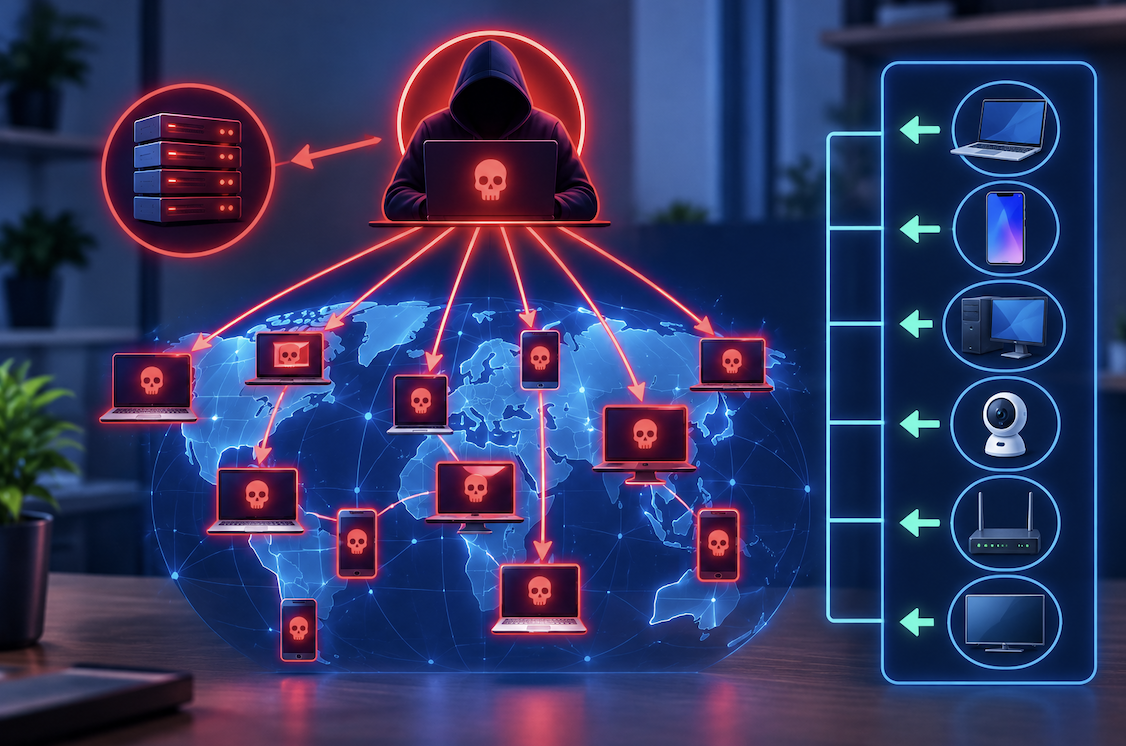
A botnet is a network of internet-connected devices that have been infected with malicious software, allowing an attacker to remotely control these devices collectively, often without their legitimate owners’ knowledge that their device has genuinely been compromised. These controlled devices, sometimes called bots or zombies, can then be used together to carry out various malicious activities at a genuinely significant scale.
Understanding that infected devices typically continue functioning normally from their owner’s perspective genuinely matters, since this explains why botnet infections can go unnoticed for extended periods, with victims often having no obvious indication that their device has actually become part of a larger, coordinated malicious network operating largely invisibly in the background.
How Devices Actually Get Recruited Into Botnets
Understanding the genuine, common methods attackers use to actually infect and recruit devices into a botnet helps clarify the practical vulnerabilities that make this compromise possible.
- Malicious software disguised as legitimate downloads or email attachments infects unsuspecting victims’ devices
- Devices with outdated software containing known, unpatched security vulnerabilities become genuinely easier targets
- Weak or default device passwords, particularly on smart home and connected devices, provide easy entry points
- Once infected, the device begins secretly communicating with and following instructions from the attacker’s control system
This unpatched vulnerability consideration deserves particular emphasis, since attackers specifically and systematically scan the internet looking for devices running outdated software containing genuinely known security flaws, meaning devices that have not received recent security updates represent significantly easier, more attractive targets for this kind of automated, large-scale recruitment into a botnet.
Why Smart Home and IoT Devices Face Particular Genuine Risk
Understanding why internet-connected smart home devices have become particularly attractive targets for botnet recruitment helps clarify a genuinely significant, growing area of concern within this broader threat category.
- Many smart home devices ship with weak default security settings that owners often never actually change
- These devices frequently lack the robust security features found in traditional computers
- Manufacturers do not always provide consistent, ongoing security updates for these devices
- This combination makes smart home devices genuinely attractive, relatively easy targets for botnet recruitment
What Attackers Actually Use Botnets to Accomplish
Understanding the genuine, common malicious purposes attackers use botnets for helps clarify why building and controlling these large networks of compromised devices provides genuine value to cybercriminals.
- Coordinating massive numbers of devices to overwhelm and disable targeted websites or services
- Distributing spam email or malicious content at genuinely significant scale
- Mining cryptocurrency using the collective computing power of numerous compromised devices
- Conducting further malicious activities, like credential theft, across the network of infected devices
This coordinated overwhelming capability deserves particular emphasis, since a botnet’s genuine power comes specifically from its scale, allowing an attacker to direct potentially thousands or even millions of individually compromised devices to simultaneously target a specific website or service, creating an overwhelming volume of traffic that legitimate infrastructure often cannot handle, regardless of how sophisticated that target’s own individual defenses might otherwise be.
Warning Signs That May Indicate Your Device Has Been Compromised
Understanding potential warning signs that your own device might have genuinely been recruited into a botnet helps provide practical guidance for identifying this often-invisible compromise.
- Noticeably reduced device performance or unusual, unexplained internet usage patterns
- Your device’s internet connection seeming slower than usual without other obvious explanation
- Unusual battery drain on mobile devices without corresponding increased legitimate usage
- Security software flagging suspicious background processes or network activity
Practical Steps for Protecting Your Devices From Botnet Recruitment
- Keep all your devices, including smart home devices, updated with the latest available security patches
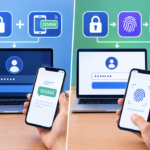
- Change default passwords on every connected device, particularly smart home and IoT devices
- Use reputable security software and keep it genuinely updated on your computers and mobile devices
- Be cautious about downloading software or opening email attachments from unfamiliar or suspicious sources
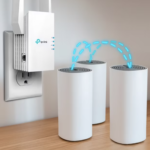
- Consider network segmentation, separating smart home devices from your primary computers and phones
Why Regularly Restarting Certain Devices Can Genuinely Help Disrupt Infections
Understanding a genuinely practical, simple protective measure that can help address certain types of botnet infections, particularly those affecting less sophisticated devices, provides useful additional practical guidance beyond the more comprehensive protective steps already discussed.
Some botnet malware, particularly on devices without persistent storage retaining the infection through a power cycle, can genuinely be disrupted through a simple device restart, since certain types of malware exist only in the device’s active memory and do not automatically survive being powered off and back on. While this simple step does not address more sophisticated malware genuinely designed to persist through restarts, combining this practice with keeping devices updated and using strong passwords provides a genuinely reasonable, additional layer of practical protection worth incorporating into your regular device maintenance routine.
- Some botnet malware exists only in active memory and does not survive a device restart
- Regularly restarting certain devices can genuinely help disrupt this specific type of less persistent infection
- This does not address more sophisticated malware specifically designed to persist through restarts
- Combining this practice with other protective measures provides a genuinely reasonable additional protection layer
Final Thoughts
Botnets consist of compromised devices secretly controlled by attackers, typically recruited through malware infections exploiting outdated software or weak default security settings, then used collectively to carry out various malicious activities at significant scale. Understanding both how devices actually get recruited into these networks and practical protective steps helps you meaningfully reduce the risk of your own devices unknowingly becoming part of this kind of large-scale, coordinated malicious infrastructure.
As the number of internet-connected devices in typical households continues growing, maintaining these basic protective habits across your entire collection of devices, not just your primary computer, genuinely becomes an increasingly important part of responsible digital citizenship, helping protect both your own devices and the broader internet ecosystem that botnet activity ultimately threatens.
Frequently Asked Questions
1. How can I tell for certain if my device has genuinely become part of a botnet?
This can be genuinely difficult to detect directly, since infected devices are often specifically designed to continue functioning normally, though unusual performance issues, unexpected network activity, or security software alerts can provide useful warning signs worth investigating further.
2. Are botnets only a concern for computers, or do they also affect other types of devices?
Botnets genuinely affect a wide range of internet-connected devices, including smartphones, smart home devices, and other IoT devices, with these newer connected device categories increasingly becoming attractive targets given their often weaker default security.
3. Can antivirus software genuinely detect and remove botnet infections?
Reputable, updated antivirus software can often detect and help remove many known botnet infections, though sophisticated or newly developed malware variants can occasionally evade detection until security software receives updates addressing these specific new threats.
4. Is it illegal to operate a botnet?
Yes, genuinely, operating a botnet for malicious purposes represents illegal activity in most jurisdictions, and law enforcement agencies internationally have worked to identify, disrupt, and prosecute individuals and groups operating these malicious networks.
5. Should I be concerned about botnets if I only use my devices for typical, everyday personal activities?
Yes, genuinely, since botnet recruitment does not require you to be a specifically targeted individual, but rather typically involves attackers scanning broadly for any vulnerable devices, meaning typical everyday device usage does not provide protection without genuine, deliberate security practices in place.