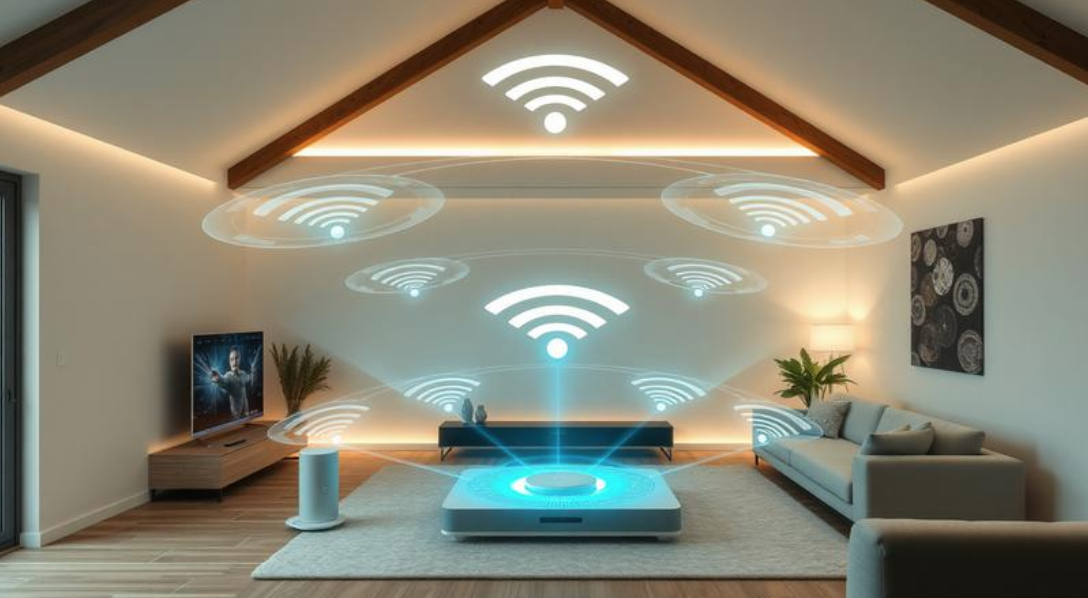
Slow Wi-Fi can be one of the most frustrating problems in any home. You may have a fast internet plan, yet videos buffer upstairs, video calls freeze in the bedroom, and smart devices constantly disconnect in the garage. Many people assume they need a faster internet package, but that’s often not the real issue.
Often, the issue isn’t how fast your internet actually is. It’s your Wi-Fi coverage.
This is where mesh Wi-Fi systems have become increasingly popular. They promise strong, reliable internet throughout your entire home instead of delivering excellent speed only near the router.
But are they worth buying? Or is a regular router enough?
If you’ve been wondering what is a mesh Wi-Fi system and do you need one, this guide explains everything in simple English. You’ll learn how mesh networks work, when they’re worth the investment, when they’re unnecessary, and how to decide which option fits your home.
What Is a Mesh Wi-Fi System?
A mesh Wi-Fi system is a group of wireless devices that work together to create one large Wi-Fi network across your entire home.
Unlike a traditional router that broadcasts Wi-Fi from one location, a mesh system includes several devices called “nodes” or “satellites.” One node connects directly to your modem, while the others are placed around your house. These nodes communicate with each other continuously, creating a seamless wireless network.
Instead of connecting separately to different Wi-Fi networks, your phone, laptop, or smart TV automatically connects to whichever node provides the strongest signal. You don’t need to constantly change networks as you walk around your home or office.
Think of it like a relay team. Instead of one runner carrying the baton the entire race, multiple runners work together to finish more efficiently. A mesh system does something similar by passing your wireless connection between nodes without interrupting your internet experience.
For example, imagine a two-story house where the router sits in the living room. Upstairs bedrooms receive weak signals because walls and floors block wireless waves. By placing one mesh node upstairs and another near the back of the house, every room receives strong coverage.
Modern mesh systems are also designed to manage traffic intelligently. If one node becomes overloaded, nearby devices can automatically connect to another node with better performance. This helps maintain consistent speeds even when multiple family members are streaming, gaming, or attending online meetings at the same time.
How Does a Mesh Wi-Fi System Work?
A mesh Wi-Fi system creates multiple access points that function as one intelligent network.
The main router connects to your modem just like a standard router. Additional mesh nodes are positioned throughout your home within range of each other. These nodes constantly exchange information about signal quality, network traffic, and connected devices.
Whenever you move around your home, your device quietly switches between nodes without dropping the connection. This process happens automatically in the background.
For example:
- You start watching Netflix in your living room.
- You walk upstairs while holding your tablet.
- Instead of disconnecting and reconnecting, your tablet automatically switches to the closest mesh node.
- The movie continues without buffering.
This seamless transition is one of the biggest advantages of mesh technology.
Many premium mesh systems also include a dedicated wireless channel called a backhaul. This private connection allows nodes to communicate with each other without competing with your devices for bandwidth, improving speed and stability.
Some advanced systems even support Ethernet backhaul, where nodes communicate through wired Ethernet cables instead of wireless signals. This delivers even faster performance for larger homes.
Mesh Wi-Fi vs Traditional Router
Many people confuse mesh systems with ordinary routers or Wi-Fi extenders. While all provide internet access, they solve different problems.
| Feature | Traditional Router | Mesh Wi-Fi |
|---|---|---|
| Coverage | Limited | Whole-home coverage |
| Multiple Devices | Good | Excellent |
| Dead Zones | Common | Rare |
| Roaming | Manual switching is sometimes required | Automatic |
| Setup | Simple | Simple |
| Scalability | Limited | Easy to expand |
| Cost | Lower | Higher |
Traditional routers perform very well in apartments and smaller homes. However, as the distance increases or walls become thicker, signal strength naturally decreases.
Mesh systems solve this problem by placing additional nodes closer to devices that need strong Wi-Fi.
What Problems Does Mesh Wi-Fi Solve?
Many people don’t realize their internet provider isn’t causing their slow speeds.
Instead, these common issues usually point to poor wireless coverage.
Wi-Fi Dead Zones
Certain rooms receive almost no signal because of thick walls, concrete floors, brick fireplaces, or long distances from the router.
Mesh nodes eliminate these dead spots by extending the network naturally.
Large Homes
A single router often struggles to cover homes larger than 2,000 square feet.
Multi-story houses, long hallways, and detached garages are especially difficult.
Mesh systems spread Wi-Fi evenly throughout these areas.
Many Connected Devices
Modern homes can easily have:
- Smartphones
- Tablets
- Smart TVs
- Gaming consoles
- Security cameras
- Smart speakers
- Smart lights
- Video doorbells
- Laptops
- Smart appliances
It’s common for a household to have more than 40 connected devices. Mesh systems are designed to manage these heavy workloads more efficiently than many entry-level routers.
Working From Home
Video meetings require stable connections.
If your office sits at the opposite end of your house, a mesh node nearby can significantly improve call quality.
Do You Actually Need a Mesh Wi-Fi System?
The answer depends entirely on your home and your current Wi-Fi experience.
You probably need mesh Wi-Fi if:
- Your Wi-Fi signal disappears in certain rooms.
- Your house has multiple floors.
- Your home exceeds roughly 2,000 square feet.
- Several family members stream or game simultaneously.
- Smart home devices frequently disconnect.
- Your router is several years old.
- You cannot move the router to a better location.
However, you might not need a new device if:
- You live in a small apartment.
- Every room already gets excellent Wi-Fi.
- Only a few devices use the network.
- Your current router is modern and centrally located.
Buying a mesh system won’t automatically increase the speed of your internet plan. Instead, it helps ensure more of that speed reaches every room in your home.
Real-World Example
Consider two families with identical 500 Mbps internet plans.
Family A
- Small apartment
- One modern Wi-Fi 6 router
- Eight connected devices
Their Wi-Fi reaches every room with excellent speed. Purchasing a mesh system would provide little noticeable improvement.
Family B
- Three-story home
- Home office upstairs
- Basement gaming room
- Smart security cameras
- Over 40 connected devices
Even if you pay for the same internet plan, your upstairs workspace might only get 50 Mbps, and the basement could lose connection altogether.
After installing a three-node mesh system, every floor consistently receives over 400 Mbps, video calls stop freezing, and security cameras remain connected around the clock.
The difference wasn’t internet speed. It was Wi-Fi coverage.
Advantages of Mesh Wi-Fi Systems
Mesh systems offer several benefits beyond simply expanding coverage.
Consistent Coverage
The biggest advantage is reliable internet throughout the house.
Whether you’re in the kitchen, bedroom, backyard, or garage, your connection remains much more stable.
Easy Expansion
Need better coverage later?
Simply add another compatible mesh node instead of replacing your entire network.
Better Device Management
Most modern systems automatically balance connected devices across nodes to reduce congestion.
This improves overall network efficiency.
Simple Mobile Apps
Leading mesh brands include apps that allow you to:
- Pause internet access
- Create guest networks
- Monitor connected devices
- Run speed tests
- Set parental controls
- Update firmware automatically
These features make network management much easier than older routers.
Disadvantages of Mesh Wi-Fi Systems
Despite their advantages, mesh systems aren’t perfect.
Higher Cost
Quality mesh systems cost considerably more than traditional routers.
For smaller homes, the extra expense may not provide enough value.
Placement Matters
Nodes should be close enough to communicate effectively.
If they’re placed too far apart, performance can actually decrease.
Maximum Speed Can Vary
Although coverage improves dramatically, wireless communication between nodes may reduce maximum speeds slightly compared to connecting directly beside the main router.
Premium systems with dedicated backhaul reduce this issue significantly.
Overkill for Small Spaces
Apartments and compact homes often gain little benefit from multiple nodes.
A high-quality standalone router may perform just as well.
Common Mistakes People Make
Many buyers expect a mesh system to fix every internet problem.
Unfortunately, that’s not always true.
Some common mistakes include:
Buying Mesh Instead of Upgrading Internet
If your internet plan is only 20 Mbps, a mesh system won’t magically create faster internet.
It only distributes your existing connection more effectively.
Poor Node Placement
Putting nodes at opposite ends of the house with no overlap weakens performance.
Place them halfway between weak signal areas.
Ignoring Router Location
The primary mesh router should still be positioned as centrally as possible whenever practical.
Mixing Old Devices
Older Wi-Fi devices may not fully benefit from the newest mesh technologies.
How to Choose the Right Mesh Wi-Fi System
Before buying, consider these factors.
Home Size
Manufacturers list recommended coverage areas.
Choose one designed for your home’s size.
Wi-Fi Standard
Newer Wi-Fi standards like Wi-Fi 6 and Wi-Fi 6E run more smoothly and efficiently compared to the older Wi-Fi 5 technology.
Wi-Fi 7 provides the latest improvements for high-speed internet and dense device environments.
Number of Devices
Larger households should choose systems designed for dozens of simultaneous connections.
Ethernet Ports
Gamers and desktop users may want nodes with Ethernet ports for wired connections.
Security Features
Automatic updates, WPA3 encryption, parental controls, and guest networks improve safety and convenience.
Is Mesh Wi-Fi Better Than Wi-Fi Extenders?
Wi-Fi extenders increase coverage but often create separate network names or reduce speeds because they simply repeat the existing signal.
Mesh systems are much smarter.
Instead of repeating the signal, mesh nodes cooperate as one network. Devices automatically switch between nodes, creating a smoother experience.
For occasional coverage problems in a small home, an extender may be enough.
For larger homes with persistent dead zones, mesh is usually the better long-term solution.
Practical Tips Before Buying
Before spending money on a mesh system, try these simple steps:
- Move your router to a central location.
- Keep it elevated rather than on the floor.
- Avoid placing it inside cabinets.
- Update the router firmware.
- Use the 5 GHz or 6 GHz band when available for nearby devices.
- Test Wi-Fi speeds in different rooms.
- Check whether your router already supports mesh expansion.
If these changes don’t improve coverage, investing in a mesh system becomes much easier to justify.
External Resource
For more information about modern Wi-Fi standards and networking technologies, visit the Wi-Fi Alliance:
Conclusion
A mesh Wi-Fi system isn’t designed to make your internet plan faster. Instead, it ensures the speed you’re already paying for reaches every corner of your home.
If you live in a small apartment with excellent coverage, a traditional router is usually all you need. However, if your home has multiple floors, thick walls, many connected devices, or frustrating dead zones, a mesh system can dramatically improve your everyday internet experience.
The key is identifying the real problem. If your issue is poor Wi-Fi coverage rather than slow internet service, a mesh network is often one of the most effective upgrades you can make. It provides reliable whole-home connectivity, smoother streaming, better video calls, and a more consistent experience for every connected device.
Instead of asking whether mesh Wi-Fi is better than a traditional router, ask a more practical question: does your current network meet your home’s needs? If the answer is no, a mesh system could be exactly what you’re looking for.
Frequently Asked Questions
1. What is a mesh Wi-Fi system in simple words?
A mesh Wi-Fi system is a group of routers that work together to create one large wireless network, giving you strong Wi-Fi coverage throughout your entire home.
2. Do I need a mesh Wi-Fi system?
You may need one if your home has Wi-Fi dead zones, multiple floors, thick walls, or many connected devices. For small homes with good coverage, a regular router is often enough.
3. Is mesh Wi-Fi faster than a regular router?
Not necessarily. Mesh Wi-Fi doesn’t increase your internet speed. It improves coverage so more of your available speed reaches every room.
4. Is mesh Wi-Fi better than a Wi-Fi extender?
For larger homes, yes. Mesh systems provide one seamless network with smoother roaming, while extenders often create separate networks and may reduce performance.
5. Can I use mesh Wi-Fi with my existing internet provider?
Yes. Most mesh systems work with major internet service providers. You simply connect the main mesh router to your modem.
6. How many mesh nodes do I need?
Most apartments need one router only, medium-sized homes usually work well with two nodes, and larger or multi-story homes often require three or more nodes for complete coverage.
7. Does mesh Wi-Fi help with online gaming?
Yes. It can improve connection stability by reducing weak signal areas. However, it won’t lower internet latency caused by your ISP or game servers.
8. Is mesh Wi-Fi difficult to install?
No. Most modern mesh systems include smartphone apps that guide you through setup in less than 20 minutes.
9. Can I add more mesh nodes later?
Yes. Most systems allow you to expand coverage by adding compatible nodes whenever your needs grow.
10. Does mesh Wi-Fi replace my modem?
No. Your modem connects your home to your internet provider, while the mesh Wi-Fi system distributes that internet wirelessly throughout your home.