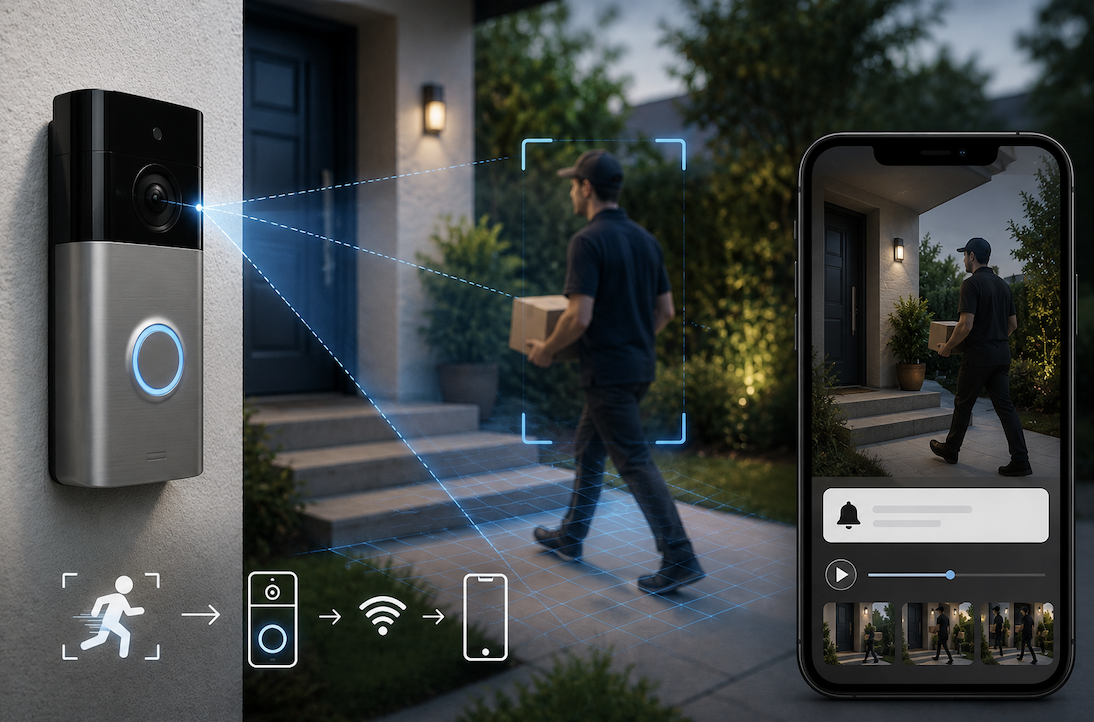
Smart doorbells have moved from a novelty gadget to a genuinely mainstream home security feature, allowing homeowners to see and respond to visitors remotely while automatically capturing footage of activity near their front door. Understanding how these devices actually detect motion and the genuine technology working behind this everyday convenience reveals some interesting engineering beneath a now-familiar device.
What a Smart Doorbell Actually Is
A smart doorbell is a connected device that replaces a traditional doorbell, incorporating a camera, microphone, speaker, and internet connectivity to allow homeowners to see, hear, and communicate with visitors remotely through a smartphone app. Beyond simply announcing a visitor’s presence, these devices typically record video footage and can send notifications whenever they detect motion near your front door, even without anyone actually pressing the doorbell button itself.
This motion-triggered functionality represents a genuinely significant advancement beyond traditional doorbells, which only activated when someone deliberately pressed the button, since smart doorbells can now capture and alert you to activity happening near your entrance regardless of whether a visitor actually intended to announce their presence.
How Motion Detection Technology Actually Works
Understanding the genuine technical process behind how a smart doorbell actually identifies and responds to motion helps clarify how this seemingly simple feature actually functions beneath the surface.
- The device’s camera continuously captures a video feed of the area near your front door
- Software analyzes sequential video frames, looking for meaningful changes between them
- When sufficient change is detected within the frame, the system interprets this as genuine motion
- This detection triggers the device to begin recording and send a notification to your connected smartphone app
This frame comparison process deserves particular emphasis, since the underlying technology essentially works by comparing what changed between one video frame and the next, with sufficiently significant changes, like a person walking into view, being interpreted as motion worth flagging, while more minor variations get filtered out to avoid excessive, unnecessary notifications.
Why Distinguishing Genuine Motion From False Triggers Presents Real Challenges
Understanding the genuine technical challenge involved in accurately distinguishing meaningful motion, like an actual visitor, from irrelevant environmental changes helps explain why smart doorbells sometimes generate unwanted or missed notifications.
- Moving tree branches, passing vehicles, or changing shadows can all potentially trigger false motion alerts
- Weather conditions like rain or snow can create visual changes that some systems misinterpret as motion
- Distinguishing a genuine visitor from a passing animal or vehicle requires more sophisticated analysis than simple change detection
- Manufacturers continuously refine their detection algorithms specifically to reduce these genuinely common false triggers
How Modern Smart Doorbells Use AI for More Accurate Detection
Understanding how more advanced smart doorbells have moved beyond simple motion detection toward genuinely more sophisticated AI-powered analysis helps explain improvements in accuracy compared to earlier generations of this technology.
- Advanced systems use AI specifically trained to recognize actual human shapes and movement patterns
- This allows the device to distinguish between a person, an animal, or a moving vehicle more accurately
- Some systems can further distinguish between a person simply passing by versus someone approaching the actual door
- This more sophisticated analysis significantly reduces false alerts compared to basic frame-difference motion detection alone
This human recognition capability deserves particular emphasis, since this AI-powered improvement represents a genuinely significant advancement over earlier motion detection approaches, allowing modern smart doorbells to filter out the vast majority of false triggers caused by non-human movement while still reliably alerting you to genuinely relevant visitor activity.
Understanding Customizable Motion Detection Zones
Understanding that many smart doorbells allow you to customize specifically which areas within the camera’s view should actually trigger motion alerts provides useful practical context for reducing unwanted notifications from irrelevant areas.
- Many devices allow you to define specific zones within the camera’s field of view for motion detection
- This allows excluding areas like a busy street or neighboring property from triggering alerts
- Customizing these zones to focus specifically on your actual entrance area reduces irrelevant notifications
- This customization genuinely helps balance comprehensive security coverage against notification fatigue
Why Sensitivity Settings Genuinely Affect Your Overall Experience
Understanding that most smart doorbells offer adjustable motion sensitivity settings helps you fine-tune the device’s behavior toward your specific genuine preferences and actual home environment.
- Higher sensitivity settings detect smaller movements but generate considerably more frequent alerts
- Lower sensitivity settings reduce false triggers but might occasionally miss more subtle, genuine motion
- Finding the right balance depends on your specific home’s environment and your personal notification preferences
- Adjusting these settings after initial installation often improves the overall practical experience considerably
Practical Tips for Optimizing Your Smart Doorbell’s Motion Detection
- Adjust sensitivity settings gradually to find the right balance for your specific home environment
- Configure detection zones to focus specifically on your actual entrance rather than the entire visible area
- Consider your camera’s positioning, since placement affects both detection accuracy and false trigger frequency
- Review captured footage periodically to understand what specifically tends to trigger false alerts in your particular setup
Why Storage Method Genuinely Affects How Motion Footage Gets Handled
Understanding how a smart doorbell actually stores its captured motion footage, whether locally on the device or remotely through a cloud service, provides additional useful context connecting motion detection to the broader practical experience of actually reviewing captured recordings later.
Devices relying on cloud storage typically upload triggered recordings to a remote server, which then becomes accessible through your smartphone app, meaning your specific subscription plan and internet upload speed can genuinely affect how quickly and reliably footage becomes available for review. Devices offering local storage options, by contrast, save footage directly to a physical storage device without requiring an ongoing subscription, though this approach sometimes offers less convenient remote access compared to cloud-based
alternatives, representing a genuine trade-off worth considering based on your specific priorities around cost, convenience, and access reliability.
- Cloud storage requires uploading footage to a remote server, with your subscription and internet speed affecting access
- Local storage saves footage directly without requiring an ongoing subscription cost
- Local storage sometimes offers less convenient remote access compared to cloud-based alternatives
- Understanding this trade-off helps you choose a storage approach genuinely suited to your specific priorities
Final Thoughts
Smart doorbells use motion detection technology ranging from basic frame comparison to sophisticated AI-powered human recognition, allowing homeowners to receive alerts about activity near their entrance beyond simply someone pressing the doorbell button.
Understanding how this technology actually works, along with practical customization options like detection zones and sensitivity settings, helps you optimize your specific device for genuinely useful, relevant alerts rather than a frustrating stream of false notifications.
Frequently Asked Questions
1. Why does my smart doorbell sometimes send notifications for things that are not actually visitors?
This typically results from the device’s motion detection interpreting non-human movement, like blowing branches or passing vehicles, as motion worth flagging, particularly with less sophisticated detection systems or overly sensitive settings that have not been properly adjusted.
2. Do all smart doorbells use AI-powered person detection, or is this a premium feature?
This varies by specific model and manufacturer, with more basic devices typically relying on simpler frame-difference motion detection, while more advanced or premium models increasingly include AI-powered person recognition as a standard or optional upgraded feature.
3. Can I adjust my smart doorbell’s motion detection to only alert me during certain times of day?
Many modern smart doorbells do offer scheduling features allowing you to customize when motion alerts are actually active, which can help reduce unnecessary notifications during periods when you do not need real-time alerts, like late at night.
4. Does motion detection continue working if my internet connection goes down?
Generally, most smart doorbells require an internet connection to send notifications and enable remote viewing, meaning motion detection alerts typically will not function properly during an internet outage, though some devices may still record locally depending on their specific capabilities.
5. How much battery life does continuous motion detection typically consume on battery-powered smart doorbells?
This varies considerably by specific device and how frequently motion actually triggers recording, though frequent motion detection and recording does meaningfully affect battery-powered models more than wired versions, making this a genuine consideration when choosing between different available options.