A colleague sends a message asking why you emailed them a strange link at three in the morning. You didn’t. That’s often the very first sign someone gets that their email account has been compromised, not a dramatic warning screen, just a confused text from someone in your contacts. Knowing what to actually do in the minutes and hours after that message matters enormously.
Why Email Compromise Represents Such a Significant Risk
Email compromise occurs when an unauthorized party gains access to your account, letting them read your messages, send emails as you, and potentially access other accounts connected to that address. Since so many services use email as the primary recovery method, a compromised inbox can become a gateway to considerably more than just your messages.
How Email Accounts Actually Become Compromised
- Phishing attacks trick users into entering credentials on fraudulent, look-alike login pages
- Credential stuffing uses previously leaked passwords from other breaches to attempt access
- Weak, easily guessed passwords provide attackers easier paths in
- Malware on your device can capture and transmit your login credentials directly
Some phishing attempts are remarkably convincing, closely mimicking legitimate login pages from your actual provider, the kind of thing that catches even cautious, security-conscious people off guard.
Recognizing the Warning Signs
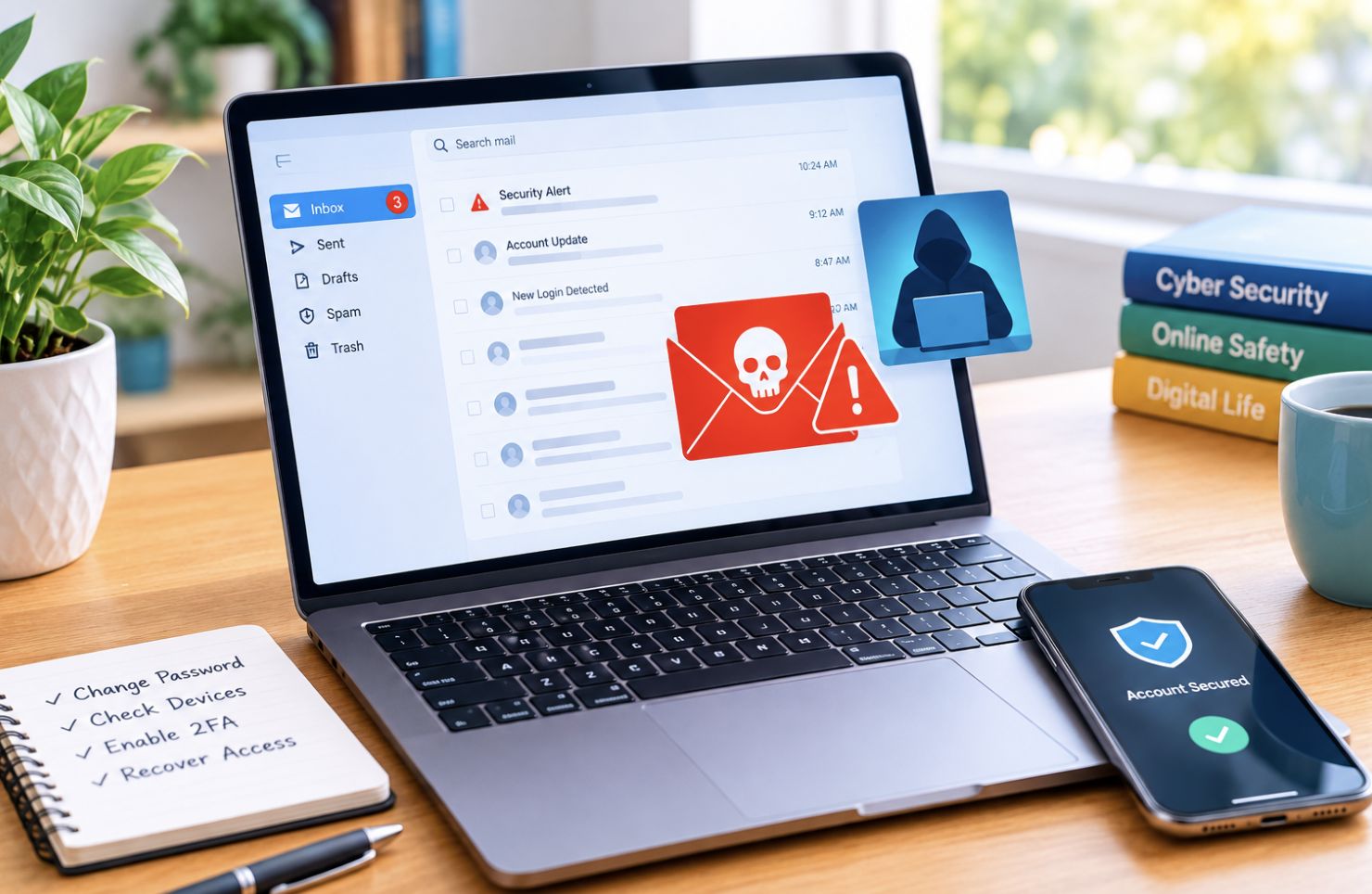
Sent emails you didn’t write, password reset notifications you didn’t request, contacts reporting suspicious messages “from you,” and account setting changes you didn’t make, any of these signal potential compromise. As in the opening example, often the first sign isn’t something you notice yourself; it’s a friend or colleague asking why you sent them a strange link.
Immediate Steps Upon Discovering Compromise
- Change your email password immediately, choosing something strong and unique
- Enable multi-factor authentication if it isn’t already active
- Review and revoke unfamiliar connected apps or devices with account access
- Check for and correct any unauthorized changes to recovery information or settings
Attackers sometimes add their own recovery methods or connect unauthorized apps specifically so they can regain access even after you change your password, which is why a thorough review of connected apps matters just as much as the password change itself.
The Cascading Risk to Other Connected Accounts
Because so many services use email for password resets, an attacker with sustained access could work their way into your banking, social media, and other accounts simply by triggering reset requests through your compromised inbox. This is exactly why speed matters here, the longer the access lasts, the further it can spread.
Securing Your Broader Digital Accounts
- Review other important accounts, especially financial ones, for signs of unauthorized access
- Change passwords anywhere you may have reused the same or similar one
- Enable multi-factor authentication across your important accounts
- Watch your accounts closely in the days following the incident
Preventing Future Compromise
Use a strong, unique password for your email specifically, ideally managed through a password manager. Enable multi-factor authentication as standard practice. Stay skeptical of unexpected messages, and periodically review connected apps and settings as routine maintenance rather than a one-time fix.
When to Seek Additional Professional Help
Business or professional email compromise may warrant IT security involvement. Situations suggesting broader identity theft may need wider professional guidance, and if standard recovery processes fail to restore your access, provider support becomes necessary.
Why Recovery Doesn’t End the Moment You Regain Access
A common mistake involves treating password reset as the finish line, when actually the more thorough work of checking for lingering, hidden access often matters more. Attackers sometimes set up mail forwarding rules that quietly copy your incoming messages to an external address, something that survives a simple password change and can continue leaking your information for weeks or months afterward if nobody thinks to check for it.
Reviewing your account’s forwarding rules, filters, and any automated actions configured on your inbox is an important step many people skip entirely, assuming the password change alone fully closed the door the attacker had opened.
Why Your Email’s Value to Attackers Extends Beyond Your Own Accounts
It’s worth understanding that a compromised email doesn’t just threaten your own accounts, attackers frequently use a hijacked inbox to launch further attacks against your actual contacts, sending convincing messages that appear to come from someone they trust. This is precisely why colleagues, friends, and family sometimes fall for scams sent from a compromised account belonging to someone they’d never suspect, since the message did come from that person’s real, legitimate email address.
This broader risk is part of why notifying your contacts matters so much once you discover a compromise, you’re not just protecting yourself, you’re limiting the pool of people an attacker can successfully target using your hijacked credibility.
How to Verify Your Account Is Actually Clean Afterward
Beyond simply checking the obvious settings, a thorough post-compromise review involves signing out of all active sessions across every device, not just changing the password, since a session an attacker already established might otherwise continue working even after a password reset.
Most major email providers offer a setting specifically for this, often labeled something like “sign out everywhere”, and using it ensures any lingering, already-authenticated access gets cut off completely rather than assuming a new password alone handles everything.
Following this up with a careful look through your account’s security activity log, checking for any sign-ins from unfamiliar locations or devices during the suspected compromise window, gives you considerably more confidence that the account is lean rather than simply hoping the obvious steps were sufficient.
Final Thoughts
Email compromise is a serious incident precisely because of how central inboxes are to everything else online. Recognizing the warning signs quickly, even something as small as a confused text from a colleague, and following through on comprehensive recovery, including checking for hidden forwarding rules, is what actually limits the damage.
Frequently Asked Questions
1. How quickly should I act once I suspect compromise?
Immediately. Every hour of delay is an hour the attacker has to cause further damage across your connected accounts.
2. Can I tell how long my account was compromised before I noticed?
Sometimes. Your provider’s sign-in activity log, when available, can offer useful clues about when unauthorized access began.
3. Should I notify my contacts if my email was compromised?
Yes, they may have received suspicious messages appearing to come from you, and a heads-up helps them stay cautious.
4. Does multi-factor authentication guarantee my email can’t be compromised again?
No guarantee is absolute, but it’s one of the most effective protections available against common compromise methods.
5. Can email compromise lead to identity theft beyond account access?
Potentially, especially if sensitive personal information was exposed, credit monitoring is worth considering in serious cases.
6. Is it safe to keep using the same email address after securing it?
Generally, yes, once you’ve thoroughly changed passwords, enabled multi-factor authentication, and reviewed for unauthorized changes.