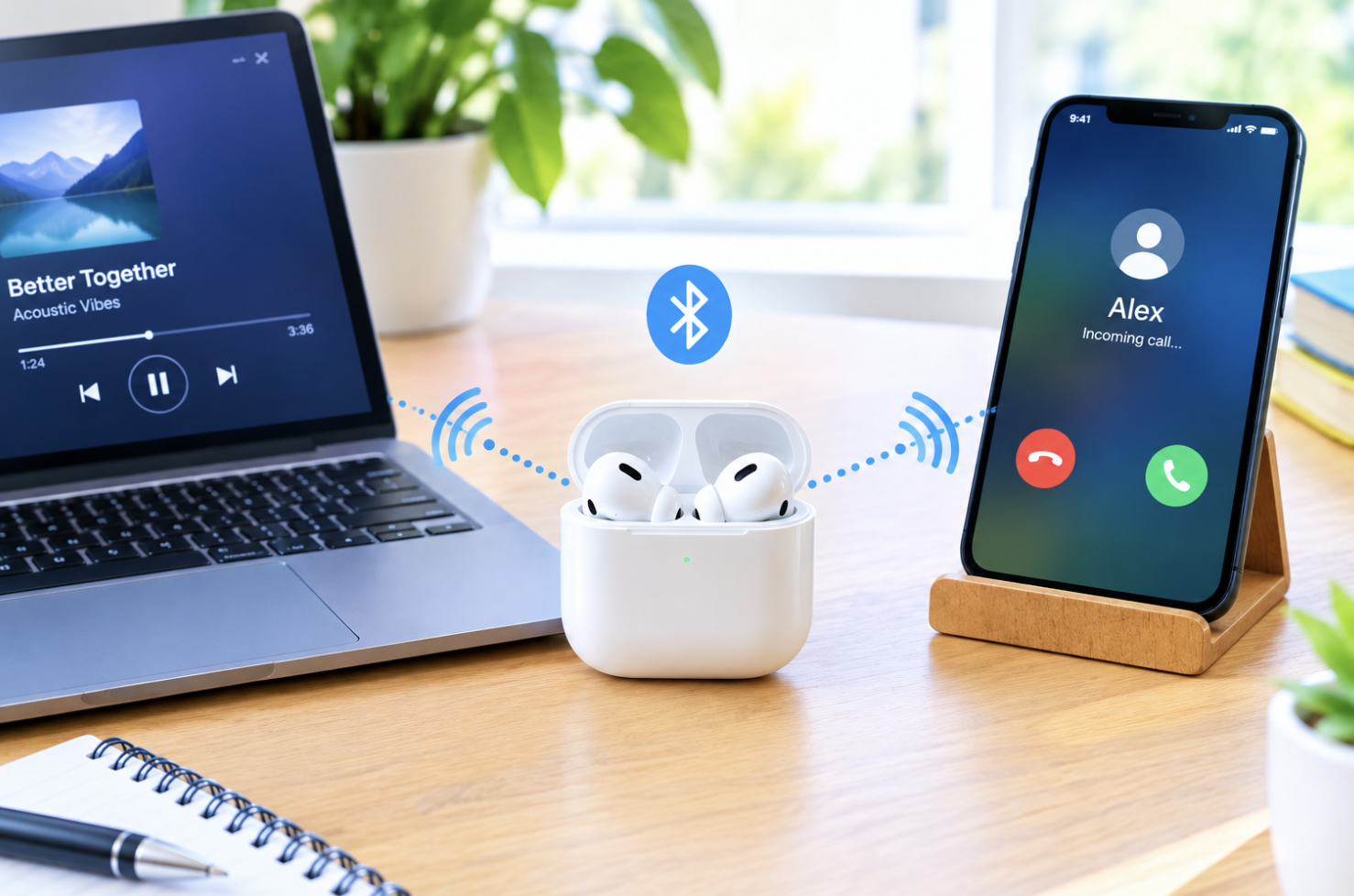
Someone’s on a video call on their laptop when their phone rings with an urgent call. A few years ago, that meant fumbling to switch their earbuds’ connection manually, missing the first few rings entirely. Now, good wireless earbuds handle that switch automatically, mid-sentence, without the wearer doing anything at all. Here’s the engineering behind that convenience.
What Multi-Device Connectivity Actually Means
Multi-device connectivity, often called multipoint, lets earbuds maintain simultaneous connections with two separate devices, so audio can come from either without manual reconnection. This directly solves a frustration earlier wireless earbuds created: constantly disconnecting from one device to reconnect to another.
The Technical Mechanism Behind Dual Connections
Earbuds with this capability keep active wireless connections to both paired devices at once, with the internal system automatically deciding which device’s audio should actually play at any given moment, typically based on which one is actively sending sound. That’s exactly what happens in the scenario above: the phone call interrupts the laptop audio automatically, without the wearer touching anything.
Why Bluetooth Technology Enables This Capability
Bluetooth has evolved to support managing multiple simultaneous connections, something earlier generations of the technology simply couldn’t handle efficiently. Not every Bluetooth device or set of earbuds supports this, it’s a specific capability manufacturers have had to build in, not something that comes free with any Bluetooth chip.
The Practical Benefits Multi-Device Connectivity Provides
Switching between work and personal devices without reconnection hassle, taking calls on your phone mid-workday without pausing your laptop audio, and generally not having to think about which device your earbuds are “on”, all of this adds up for anyone regularly juggling multiple devices.
Limitations Within Current Implementation
- Some implementations struggle to reliably prioritize between simultaneous audio sources
- Battery life may take a modest hit from maintaining two connections
- Not every model, even within the same manufacturer’s lineup, supports this feature
- Edge cases involving audio from both devices at once can still trip up even good implementations
Setting Up Multi-Device Connectivity on Compatible Earbuds
Verify your specific model actually supports multipoint. Pair your first device following the manufacturer’s instructions, then pair your second device while keeping the first connection active. Test switching between them to confirm everything works as expected.
Why This Feature Has Become Increasingly Standard
Growing awareness of the convenience has increased demand, technical implementation has become more accessible as Bluetooth itself has matured, and competitive pressure among manufacturers has pushed the feature into increasingly affordable product lines.
When Multipoint Actually Falls Short in Practice
Despite improvements, some real-world scenarios still expose the technology’s rough edges. Playing music from a laptop while simultaneously receiving notification sounds from a phone can sometimes produce an awkward, stuttering handoff rather than the clean switch users expect, particularly on earbuds using older or less refined multipoint implementations. Manufacturers continue actively refining this behavior, but it’s worth testing a specific pair of earbuds with your actual typical device combination before assuming flawless performance out of the box.
Why Firmware Updates Quietly Matter for This Feature
Multipoint behavior isn’t fixed permanently at the moment of purchase, manufacturers regularly release firmware updates specifically refining how earbuds handle the switching logic between connected devices, sometimes fixing exactly the kind of stuttering handoff issues mentioned above. Earbuds that felt frustrating when first purchased sometimes improve months later simply through a software update most users never actively seek out or even know exists.
Keeping your earbuds’ companion app installed and periodically checking for firmware updates is a small, easily forgotten habit that can meaningfully improve multipoint reliability over the life of the product, well beyond whatever the earbuds could originally do straight out of the box.
How Multipoint Interacts With Noise Cancellation and Other Features
It’s worth knowing that enabling multipoint connectivity can sometimes interact with other earbud features in ways that aren’t immediately obvious, since maintaining two simultaneous Bluetooth connections consumes processing resources that might otherwise go entirely toward features like active noise cancellation. On some models, this can mean slightly reduced noise cancellation performance while multipoint is active, compared to running the earbuds connected to just a single device.
This trade-off is minor on most modern earbuds, but it’s a real, documented consideration worth knowing about if you’re specifically prioritizing maximum noise cancellation performance and only occasionally need the multi-device convenience multipoint provides.
Final Thoughts
Multipoint connectivity relies on Bluetooth maintaining two simultaneous connections and intelligently managing audio priority between them, all without manual reconnection. For anyone who’s ever missed the start of an important call while fumbling with earbud settings, that automatic handoff is a welcome piece of engineering.
Frequently Asked Questions
1. Can earbuds connect to more than two devices simultaneously?
Most current implementations support two active connections at once, though earbuds may stay paired with additional devices you can switch to manually.
2. Does multipoint drain battery life faster?
Slightly, since maintaining two connections costs somewhat more power, though the effect is usually modest for typical use.
3. Why do my earbuds sometimes fail to switch automatically?
This can happen due to implementation quality, unusual simultaneous audio scenarios, or occasional glitches, manual switching is a useful backup when available.
4. Can I manually control which device is active?
Many multipoint earbuds offer manual switching through the companion app or button controls, useful when automatic switching doesn’t match your preference.
5. Do all earbuds in the same product line support multipoint identically?
No, this varies even within one manufacturer’s lineup, so it’s worth checking your specific model rather than assuming.
6. Is multipoint worth prioritizing when buying new earbuds?
If you regularly switch between devices throughout the day, yes. If you mostly stick to one device, it matters much less.