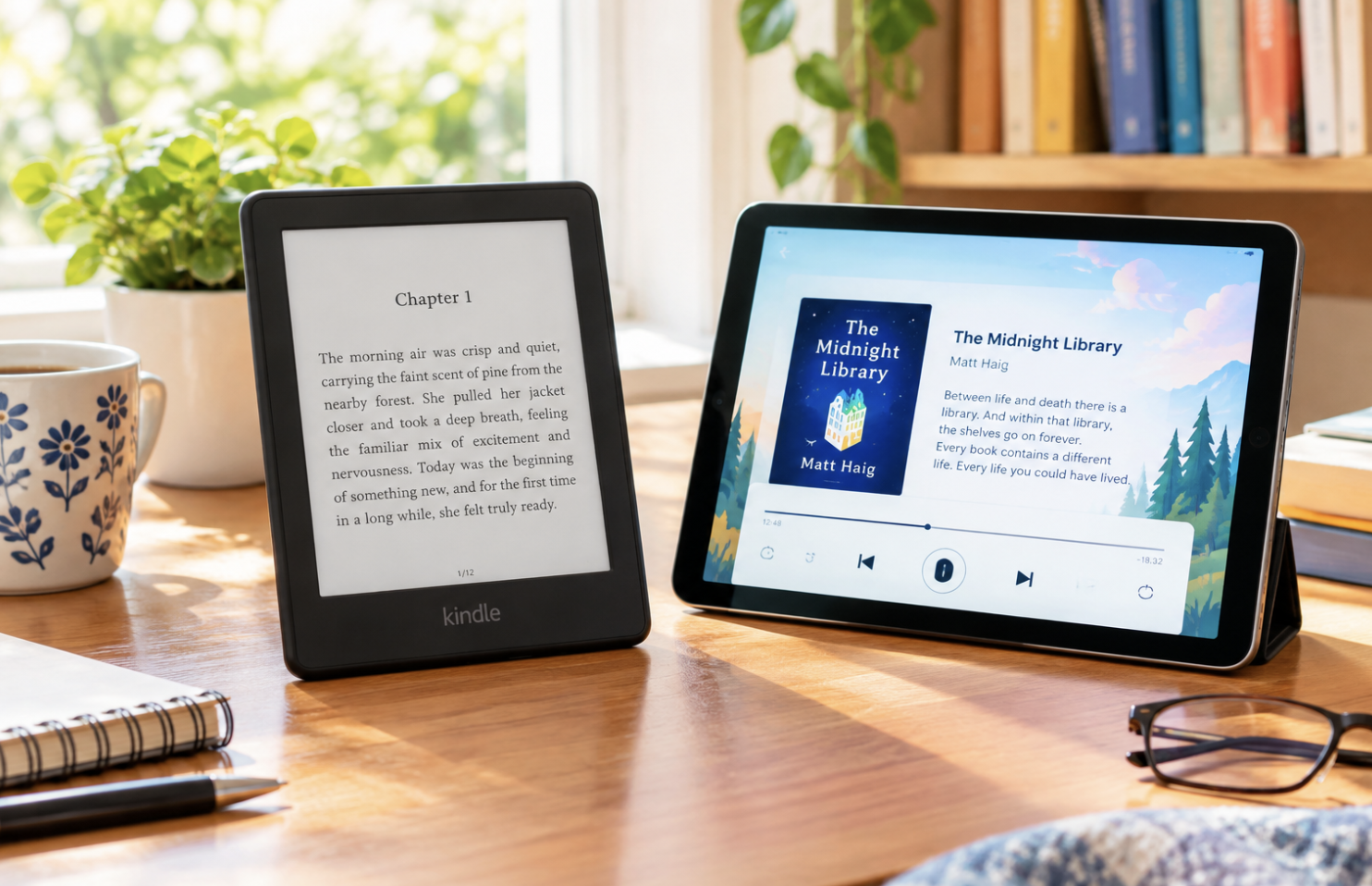
Someone finishes a paperback on a Sunday afternoon, glances at the stack of unread books on their shelf, and starts wondering whether they should finally go digital, but can’t decide between a dedicated e-reader and just using the tablet already sitting on their coffee table. It’s a common fork in the road, and the right answer depends more on actual reading habits than on which device seems more impressive on paper.
The Fundamental Difference Between These Devices
E-readers use display technology specifically built for comfortable reading. Tablets use standard backlit displays designed for versatile, multi-purpose use. One is purpose-built for reading; the other does everything reasonably well, including reading.
Why E-Reader Display Technology Differs
E-readers typically use electronic ink, which doesn’t emit its own light, it reflects ambient light the way paper does. Many readers report noticeably less eye strain during long sessions on electronic ink compared to backlit screens, which is exactly the kind of difference that matters most to people who read for hours at a stretch.
Battery Life Differences
E-readers often last weeks on a charge, since electronic ink only draws power when the display actually changes, reading a static page costs essentially nothing. Tablets, with continuously lit displays and far more running in the background, need charging considerably more often.
Why Tablets Offer Broader Functionality
Tablets handle web browsing, video, productivity apps, and color content like magazines and comics, things e-readers simply can’t do. That versatility is the whole appeal, and the trade-off is a reading experience that’s good rather than optimized.
How Dedicated E-Readers Minimize Distractions
A device that can only really do one thing turns out to be an underrated feature. No notifications pulling your attention away, no temptation to check another app mid-chapter. Many serious readers consider this focus a benefit of the e-reader’s limitations, not a compromise.
Price Considerations
Basic e-readers often undercut comparable tablets on price, though premium e-reader models can approach budget tablet pricing. Tablets span a much wider range overall, so budget and functional needs both deserve consideration before deciding.
Which Reading Formats Each Device Handles Best
E-readers excel with text-heavy content, novels, non-fiction without heavy illustration. Tablets handle comics, magazines, and image-heavy textbooks considerably better thanks to color displays. Some readers simply keep both, using each where it actually shines.
Making Your Final Decision
- Consider whether you mostly read text or need color for illustrated content
- Decide whether a distraction-free device appeals to you or feels limiting
- Think about your typical session length and how much eye comfort matters
- Be honest about whether a tablet you already own could just handle this fine
Why the Reading App Ecosystem Matters as Much as the Hardware
Beyond the physical device itself, it’s worth checking which specific reading apps and library-lending services actually work well on each platform before buying anything. Some e-readers work smoothly with certain library systems but not others, and some tablets require third-party apps that don’t integrate quite as cleanly as a dedicated e-reader’s built-in store and library connections do.
This software layer often ends up mattering more day to day than the hardware specs alone, since a beautiful screen paired with clunky, frustrating software access to your actual books will sour the whole experience regardless of how nice the display looks.
What Happens to Your Books If You Switch Devices Later
A practical consideration many first-time buyers overlook involves what happens to a purchased digital library if they later decide to switch platforms entirely. Books bought through one company’s store are often tied to that specific ecosystem, meaning switching from one brand of e-reader to another, or from an e-reader to a tablet using a different reading app, doesn’t always bring your existing purchased library along with you cleanly.
Researching a specific platform’s approach to this before investing heavily in purchased books is worth the extra few minutes, since discovering this limitation only after building a substantial digital library is a frustrating position to find yourself in.
Why Adjustable Warm Lighting Has Become a Differentiator
Many current e-readers now include adjustable front lighting that shifts from a cooler, blue-tinted white toward a warmer, amber tone as the evening progresses, mimicking how tablets and phones have adopted similar night-friendly display modes. This feature genuinely matters more for e-readers specifically, since the appeal of electronic ink partly rests on being gentler on the eyes for extended reading, and a harsh, cool-toned light at night can undercut that advantage if the device doesn’t offer adjustable warmth.
When comparing specific models, checking whether this adjustable warm lighting is actually included, rather than assuming every e-reader offers it, is worth doing for anyone who does a meaningful share of their reading in the evening or before bed.
Final Thoughts
Choosing between an e-reader and a tablet for your reading needs comes down to weighing electronic ink’s reading comfort and battery life against a tablet’s versatility and color display. For that person eyeing their unread paperbacks, the honest answer is usually whichever fits how they actually read, not which devices sound more impressive.
Frequently Asked Questions
1. Can e-readers display color content?
Traditionally, no, black and white electronic ink has been the standard, though color electronic ink has started appearing, still less mature than the black and white version.
2. Is reading on a tablet worse for your eyes than an e-reader?
Many people report less strain on e-readers during long sessions, though this varies by person, and some tablets include features aimed at reducing eye strain.
3. Do e-readers support borrowing library books?
Yes, most modern e-readers support digital library lending through compatible services, though the specific services vary by brand.
4. Can I just read on my smartphone instead?
Technically yes, but the smaller screen tends to make extended sessions less comfortable, fine for occasional reading, less so as a primary device.
5. Do e-readers need an internet connection to work?
Only for downloading new content. Already-downloaded books read fine offline.
6. Is it worth owning both an e-reader and a tablet?
Some dedicated readers do exactly that, using each device for what it does best, though it obviously costs more than picking just one.