
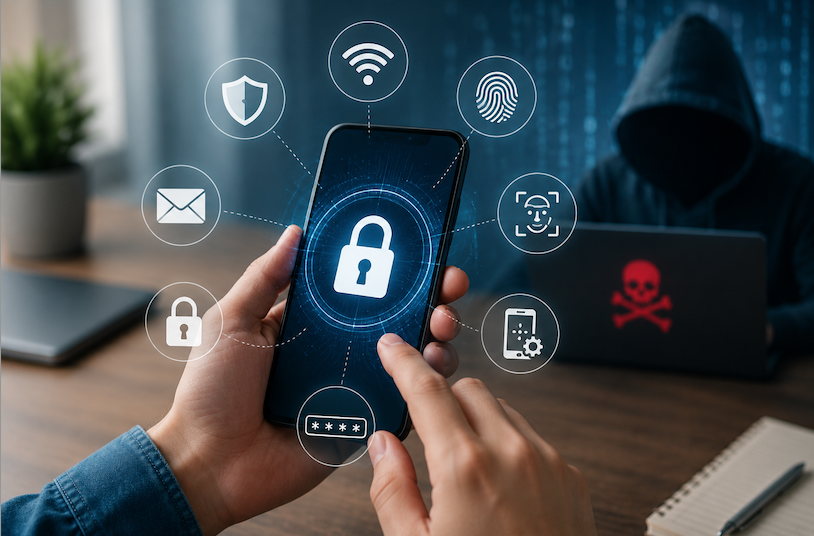
Smartphones have become the center of our digital lives. We use them for banking, shopping, social media, work, messaging, and storing personal photos. In many ways, our phones contain more sensitive information than our computers. That is exactly why hackers target them.
Many people assume hackers only go after large companies or wealthy individuals. The reality is very different. Cybercriminals often target ordinary users because they know most people have weak security habits. A simple mistake, such as clicking a suspicious link or using a weak password, can expose personal information, financial details, and even private conversations.
Phone hacking is not always dramatic. In many cases, victims do not realize their device has been compromised until their accounts are stolen, money disappears, or sensitive information is leaked online.
The good news is that protecting your smartphone does not require advanced technical knowledge. By following a few practical security measures, you can significantly reduce the risk of becoming a victim of cybercrime.
This guide explains how to secure your phone from hackers, the most common threats to watch for, and the steps you can take today to keep your data safe.
Why Hackers Target Smartphones
Your smartphone is a valuable source of information. It often contains emails, passwords, photos, banking apps, payment methods, contact lists, and location history.
For a hacker, gaining access to a phone can provide multiple opportunities. They may steal financial information, impersonate the owner, access social media accounts, or install malicious software that silently collects data.
Consider a common example. A person receives a text message claiming to be from their bank. The message says there is suspicious activity on their account and asks them to click a link immediately. The website looks legitimate, so they enter their login details. Within minutes, the attacker gains access to their banking account.
These attacks happen every day. Understanding why phones are targeted is the first step toward protecting yourself. Once you recognize the value of the information stored on your device, security becomes a necessity rather than an option.
Use Strong Screen Locks and Authentication Methods
The first layer of smartphone security is preventing unauthorized physical access. If someone gets hold of your phone, a weak lock screen can make hacking much easier.
Many users still rely on simple PINs such as 1234 or 0000. These combinations can be guessed within seconds. A stronger approach is to use a six-digit or longer PIN, a secure password, or biometric authentication like fingerprint recognition and facial recognition.
Biometric security offers convenience while maintaining strong protection. However, it should be combined with a strong backup password. If the password is weak, the overall security of the device remains vulnerable.
For example, imagine losing your phone in a public place. If the device only has a four-digit PIN, someone may quickly gain access. On the other hand, a complex password combined with fingerprint authentication creates a much stronger barrier.
Many modern smartphones also allow automatic locking after a short period of inactivity. Setting this to one or two minutes reduces the chance of unauthorized access when the phone is left unattended.
A secure lock screen may seem basic, but it remains one of the most effective ways to protect personal information.
Keep Your Phone’s Operating System Updated
Software updates are not just about new features and design improvements. Most updates contain important security patches that fix vulnerabilities discovered by researchers and security experts.
Hackers actively search for weaknesses in smartphone operating systems. Once a vulnerability becomes public, cybercriminals often attempt to exploit devices that have not been updated.
A common mistake is delaying updates for weeks or months. Many users ignore update notifications because they seem inconvenient. Unfortunately, this delay can leave devices exposed to known security threats.
Consider a real-world scenario. A security flaw is discovered in a popular mobile operating system. The manufacturer releases an update to fix the issue. Users who install the update are protected, while those who postpone it remain vulnerable.
Enable automatic updates whenever possible. This ensures your device receives critical security fixes without requiring manual action.
The same rule applies to apps. Outdated applications can contain security vulnerabilities that hackers exploit. Regular updates help maintain a secure mobile environment and reduce overall risk.
Download Apps Only from Trusted Sources
One of the most common ways hackers compromise smartphones is through malicious applications.
These apps may appear harmless at first. Some disguise themselves as games, utility tools, photo editors, or productivity applications. Once installed, they can steal personal data, monitor activity, or display intrusive advertisements.
The safest approach is to download apps only from official app stores. While no platform is perfect, official stores conduct security checks that reduce the likelihood of malicious software reaching users.
Before installing an app, review the following:
Check App Reviews
Read user reviews and ratings carefully. Multiple complaints about suspicious behavior should raise concerns.
Verify the Developer
Legitimate developers usually have a history of trusted applications and an established online presence.
Review Permissions
If a flashlight app requests access to contacts, messages, and microphone functions, something may be wrong.
For example, a fake banking application may mimic a legitimate app’s appearance. Unsuspecting users enter login credentials, which are then sent directly to cybercriminals.
Taking a few minutes to verify an app can prevent significant security problems later.
Be Careful with Public Wi-Fi Networks
Free Wi-Fi is convenient, but it can also be dangerous.
Hackers sometimes create fake Wi-Fi networks that appear legitimate. Once users connect, attackers may intercept internet traffic and collect sensitive information.
Even legitimate public networks can present security risks. Coffee shops, airports, hotels, and shopping centers often attract cybercriminals looking for vulnerable users.
Imagine logging into your banking account while connected to an unsecured public network. A skilled attacker could potentially intercept sensitive information.
To stay safe:
- Avoid accessing banking or financial services on public Wi-Fi.
- Disable automatic Wi-Fi connections.
- Verify network names before connecting.
- Use a Virtual Private Network (VPN) when accessing sensitive information.
A VPN encrypts your internet traffic, making it much harder for attackers to monitor your online activities.
Public Wi-Fi is useful, but it should always be approached with caution.
Enable Two-Factor Authentication on Important Accounts
Passwords alone are no longer enough.
Even strong passwords can be stolen through phishing attacks, data breaches, or malware. This is where Two-Factor Authentication (2FA) becomes extremely valuable.
With 2FA enabled, logging in requires two forms of verification. Typically, this includes a password and a temporary verification code.
For example, even if a hacker discovers your email password, they still cannot access your account without the second authentication factor.
Prioritize enabling 2FA for:
- Email accounts
- Banking applications
- Social media profiles
- Cloud storage services
- Work-related accounts
Authenticator apps generally provide stronger protection than SMS-based verification codes because text messages can sometimes be intercepted.
While 2FA adds an extra step during login, the additional security is well worth the minor inconvenience.
Recognize and Avoid Phishing Attacks
Phishing remains one of the most successful hacking methods because it targets human behavior rather than technology.
A phishing attack attempts to trick users into revealing passwords, financial information, or personal details.
These attacks can arrive through:
- Email messages
- Text messages
- Social media messages
- Fake websites
- Phone calls
A typical phishing message creates urgency. It may claim your account will be suspended, your package cannot be delivered, or suspicious activity has been detected.
Before clicking any link, ask yourself:
- Does the message seem unexpected?
- Is the sender legitimate?
- Does the website address look correct?
- Is there pressure to act immediately?
For example, a fake delivery notification may direct users to a fraudulent website designed to steal payment information.
Developing skepticism toward unexpected messages is one of the strongest defenses against cybercrime.
Manage App Permissions Carefully
Many smartphone users grant permissions without reading them.
Over time, apps can accumulate access to contacts, cameras, microphones, location data, and storage. Some permissions are necessary, while others are excessive.
Review app permissions regularly and ask a simple question: Does this app truly need this access?
For example:
- Navigation apps need location access.
- Video calling apps need camera access.
- Calculator apps generally do not need access to contacts.
Most smartphones provide a permission management section where users can review and modify access settings.
Limiting unnecessary permissions reduces privacy risks and minimizes the amount of data available to malicious apps.
Think of permissions as keys to different areas of your digital life. Only provide access when there is a clear and legitimate reason.
Install Mobile Security Software When Appropriate
Modern smartphones include built-in security features, but additional security software can provide another layer of protection.
Reliable mobile security applications can help:
- Detect malware
- Scan suspicious files
- Warn about dangerous websites
- Monitor security risks
- Locate lost devices
However, not all security apps are equally effective. Some offer valuable protection, while others provide little benefit beyond marketing claims.
Research carefully before installing any security software. Focus on well-established security companies with strong reputations.
Security software should complement good security habits, not replace them. Safe browsing, cautious downloading, and strong authentication remain essential.
What to Do If You Think Your Phone Has Been Hacked
Recognizing the warning signs early can limit damage.
Common indicators include:
- Rapid battery drain
- Unusual data usage
- Frequent pop-up advertisements
- Unknown apps appearing
- Device overheating
- Unexpected account activity
- Performance slowdowns
If you suspect a compromise:
Step 1: Disconnect from the Internet
Disable Wi-Fi and mobile data to reduce communication with malicious servers.
Step 2: Remove Suspicious Apps
Uninstall any unfamiliar or recently installed applications.
Step 3: Change Passwords
Update passwords for email, banking, and important online accounts.
Step 4: Run a Security Scan
Use a reputable security application to check for malware.
Step 5: Factory Reset if Necessary
In severe cases, a factory reset may be required to completely remove malicious software.
Acting quickly can significantly reduce the impact of a security breach.
Common Mistakes That Make Phones Easy Targets
Many successful attacks occur because of avoidable mistakes.
Some of the most common include:
- Using weak passwords
- Ignoring software updates
- Installing apps from unknown sources
- Clicking suspicious links
- Reusing passwords across multiple accounts
- Connecting to unsecured public Wi-Fi
- Disabling built-in security features
Hackers often look for the easiest targets. Avoiding these mistakes dramatically improves your overall security posture.
Good smartphone security is usually the result of consistent habits rather than complex technical solutions.
Practical Phone Security Checklist
Use this checklist to improve smartphone security today:
✓ Enable a strong screen lock
✓ Turn on biometric authentication
✓ Install operating system updates promptly
✓ Update apps regularly
✓ Enable two-factor authentication
✓ Download apps only from official stores
✓ Review app permissions monthly
✓ Avoid suspicious links and messages
✓ Use secure Wi-Fi connections
✓ Back up important data regularly
✓ Consider reputable mobile security software
✓ Monitor accounts for unusual activity
Following these simple steps can prevent the majority of common mobile security threats.
Conclusion
Learning how to secure your phone from hackers is one of the most important digital skills today. Smartphones hold enormous amounts of personal information, making them attractive targets for cybercriminals. Fortunately, most attacks can be prevented through a combination of awareness, good security habits, and proper device settings.
Strong passwords, software updates, two-factor authentication, careful app management, and caution when using public Wi-Fi all contribute to a safer mobile experience. No security measure is perfect on its own, but together they create multiple layers of protection that make hacking significantly more difficult.
The goal is not to achieve perfect security. Instead, focus on reducing risk and making your phone a much harder target. Small actions taken consistently can provide substantial protection over time.
As mobile threats continue to evolve, staying informed and proactive remains your best defense against hackers.
Read more on ortud.com: Apple Two Factor Authentication Explained for iPhone Users
Frequently Asked Questions (FAQs)
1. Can hackers access my phone without touching it?
Yes. Hackers can exploit malicious apps, phishing links, software vulnerabilities, or unsecured networks to gain access remotely.
2. What is the safest way to protect a smartphone?
Use a strong password, enable two-factor authentication, keep software updated, and avoid downloading apps from unknown sources.
3. How do I know if my phone has been hacked?
Signs may include unusual battery drain, overheating, unexpected pop-ups, unknown apps, increased data usage, or suspicious account activity.
4. Is public Wi-Fi dangerous for smartphones?
Public Wi-Fi can be risky, especially if it is unsecured. Avoid sensitive activities such as online banking when connected to public networks.
5. Should I install antivirus software on my phone?
A reputable mobile security app can provide additional protection, but safe browsing habits and regular updates remain the most important defenses.
6. Can a factory reset remove hackers from my phone?
In many cases, yes. A factory reset can remove malware and unauthorized software, but you should also change passwords afterward.
7. Is biometric authentication secure?
Fingerprint and facial recognition are generally secure and more convenient than passwords alone. They work best when combined with a strong backup password.
8. How often should I update my phone?
Install security updates as soon as they become available. Delaying updates can leave your device vulnerable to known threats.
9. Can hackers steal information through text messages?
Yes. Phishing attacks often use text messages containing malicious links that attempt to steal personal information.
10. What is two-factor authentication?
Two-factor authentication adds an extra verification step during login, making it much harder for hackers to access your accounts even if they know your password.