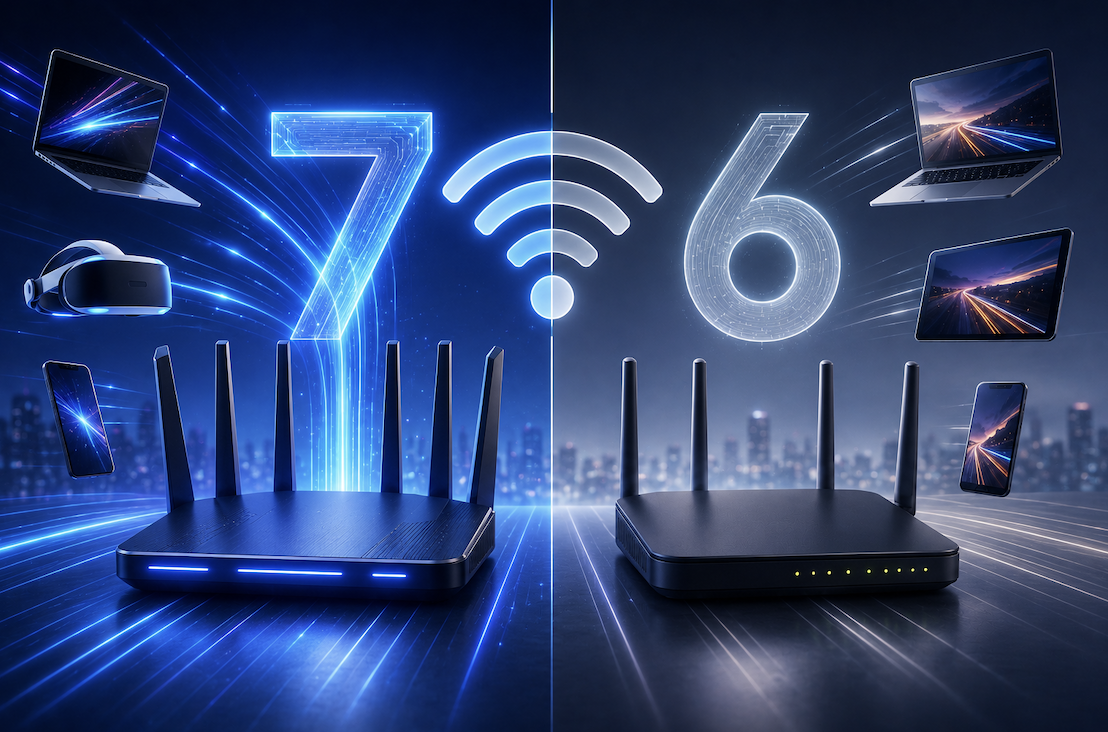
Every few years, a new Wi-Fi standard arrives promising faster speeds and better performance, and it can be genuinely confusing to know whether upgrading your router actually matters. Wi-Fi 7 is the latest generation to roll out across new devices and routers, and it brings some real improvements over Wi-Fi 6. This article explains what Wi-Fi 7 actually changes, how it compares to its predecessor, and whether it is worth upgrading your home network right now.
What Wi-Fi 7 Actually Is
Wi-Fi 7, officially known as 802.11be, is the newest wireless networking standard designed to handle the growing number of connected devices in modern homes. Where earlier generations focused mainly on raw speed, Wi-Fi 7 was built with an emphasis on reducing congestion, cutting latency, and supporting bandwidth-heavy activities like 4K streaming, cloud gaming, and video calls happening simultaneously across many devices.
The standard introduces wider channels, smarter ways of using multiple frequency bands at once, and improved efficiency in how data packets are transmitted. In practical terms, this means less buffering and lag even when a household has dozens of connected gadgets competing for bandwidth at the same time.
The Key Technical Differences From Wi-Fi 6
Wi-Fi 6 was already a significant upgrade over older standards, but Wi-Fi 7 pushes several core technologies further.
- Wi-Fi 7 supports channel widths up to 320 MHz, double the maximum of Wi-Fi 6, allowing much larger chunks of data to move at once
- A new feature called Multi-Link Operation lets a device connect across multiple frequency bands simultaneously instead of switching between them
- Wi-Fi 7 uses a denser modulation scheme that packs more data into each transmission, boosting theoretical top speeds significantly
- Latency has been reduced considerably, which matters most for real-time applications like online gaming and video conferencing
While Wi-Fi 6 already introduced helpful improvements like OFDMA for better multi-device efficiency, Wi-Fi 7 refines these technologies further rather than reinventing them from scratch.
Why Multi-Link Operation Is the Biggest Practical Upgrade
Of all the technical changes, Multi-Link Operation tends to matter most for everyday users. In previous Wi-Fi generations, a device connects to a single frequency band at a time, and if that band gets congested, performance suffers. With Multi-Link Operation, a Wi-Fi 7 device can use multiple bands at once, automatically shifting traffic to whichever band has the least congestion in real time.
This results in noticeably more stable connections in busy environments, such as apartment buildings with many overlapping networks, or households where several people are streaming, gaming, and video calling at the same time.
Do You Actually Need to Upgrade Right Now
For most households, Wi-Fi 6 still performs very well, especially in smaller homes with a modest number of connected devices. Wi-Fi 7 becomes genuinely valuable in specific situations rather than being a universal necessity for everyone.
- Large households with many simultaneous heavy internet users, such as streamers, gamers, and remote workers sharing one network
- Homes with a high density of smart devices, from cameras to thermostats to speakers, all competing for bandwidth
- Users with an internet plan fast enough to actually benefit from higher theoretical speeds
- People who already own or plan to buy Wi-Fi 7 compatible devices, since older devices will not see the same benefits
Practical Buying Tips
- Check that your internet service plan is fast enough to take advantage of Wi-Fi 7, since the router cannot exceed your actual internet speed
- Confirm your devices, especially phones and laptops, actually support Wi-Fi 7 before assuming you will see a real difference
- Compare router prices carefully, as Wi-Fi 7 hardware currently costs more than well established Wi-Fi 6 options
- Consider a mesh Wi-Fi 7 system if you have a larger home with dead zones
How to Test Whether Your Home Actually Needs the Upgrade
Before spending money on new hardware, it is worth actually diagnosing your current network rather than assuming an upgrade will automatically solve every problem. Start by running a speed test on a device connected directly to your router with a cable, then compare that to a speed test over Wi-Fi in the room where you usually experience issues. A large gap between the two often points to a Wi-Fi coverage problem rather than something a new standard alone would fix.
Next, pay attention to when slowdowns actually happen. If your connection only struggles during peak evening hours when everyone in the household is streaming, gaming, or video calling simultaneously, that pattern strongly suggests congestion, which is exactly the kind of problem Wi-Fi 7’s Multi-Link Operation is designed to help with. If slowdowns happen consistently regardless of how many devices are active, the issue may be your actual internet plan speed rather than your Wi-Fi standard.
- Compare wired versus wireless speed tests to isolate where the bottleneck actually is
- Note whether slowdowns cluster around peak usage times or happen consistently throughout the day
- Count how many devices are typically connected at once during your busiest hours
- Check whether your current router already supports Wi-Fi 6E, which may still have room to grow
Taking these steps first can save you from an unnecessary purchase, or confirm that an upgrade genuinely addresses the specific problem you are experiencing.
Final Thoughts
Wi-Fi 7 brings meaningful improvements in efficiency, congestion handling, and latency, particularly for busy, device heavy homes. For everyday users with a handful of devices and a modest internet plan, Wi-Fi 6 remains perfectly capable for now. Understanding what actually changed helps you decide whether an upgrade is worth the investment or whether your current setup still has plenty of life left.
As with most networking upgrades, the real world benefit depends heavily on your specific household rather than the marketing numbers printed on a router’s box. A household streaming, gaming, and video calling simultaneously will notice a genuine difference, while a smaller household with lighter usage may not see much change at all. Taking the time to actually diagnose your current setup before buying anything new remains the most reliable way to make a decision you will feel good about later.
Frequently Asked Questions
1. Is Wi-Fi 7 much faster than Wi-Fi 6 in real world use?
In ideal conditions with compatible devices, yes, though the difference is often smaller for typical browsing and streaming than the marketing numbers suggest. The biggest gains show up in congested, multi device environments.
2. Do I need a new phone or laptop to use Wi-Fi 7?
Yes, your device needs a Wi-Fi 7 compatible chip to take advantage of the new standard. Older devices will still connect to a Wi-Fi 7 router, just using older Wi-Fi speeds.
3. Is Wi-Fi 6 now considered outdated?
Not at all. Wi-Fi 6 remains a solid, widely supported standard and will continue to work well for the vast majority of households for years to come.
4. Will upgrading to Wi-Fi 7 fix a slow internet connection?
Only if the slowness is caused by network congestion rather than your actual internet plan speed. A faster Wi-Fi standard cannot exceed the speed you are paying for from your internet provider.