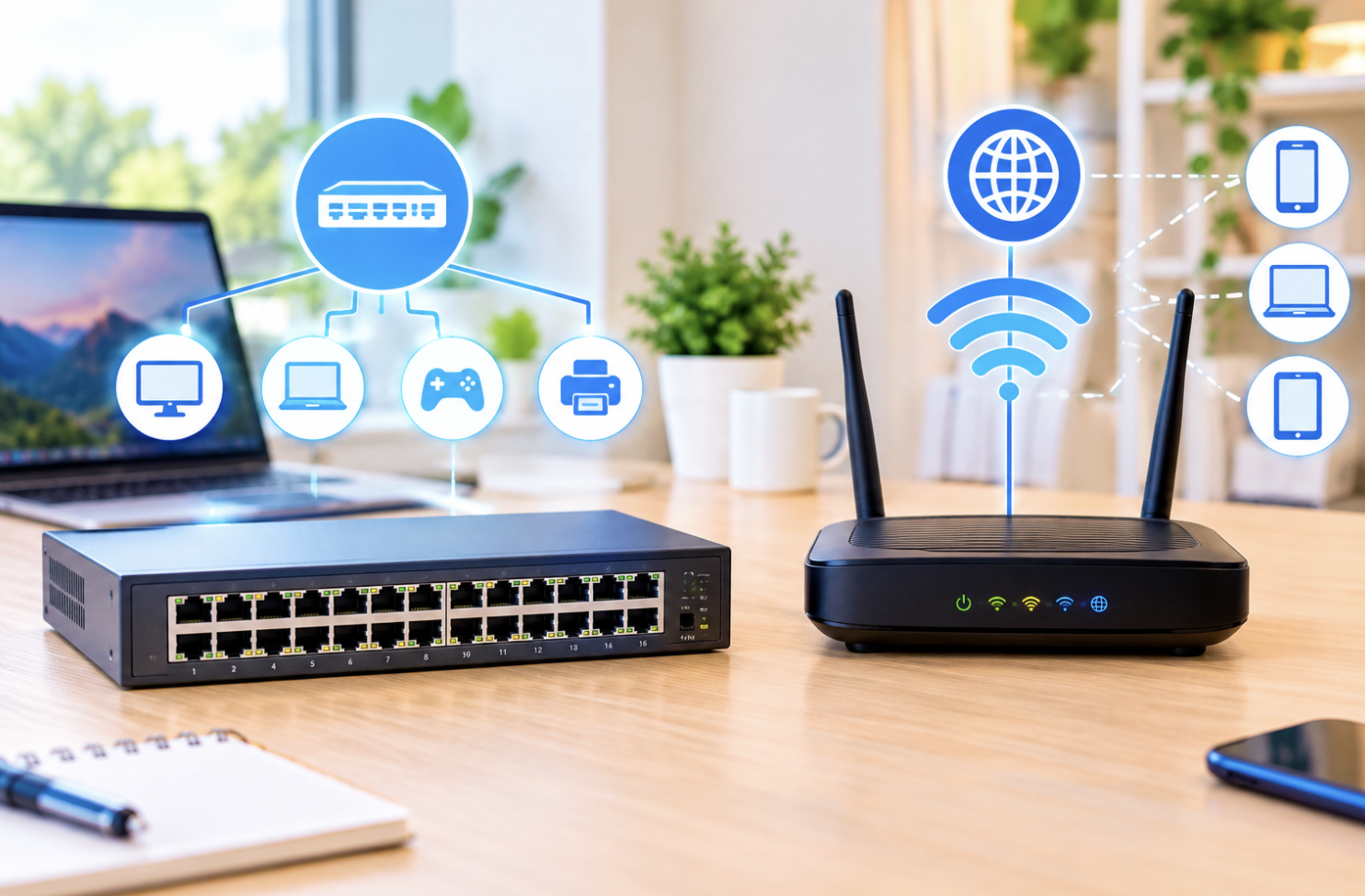
A small office moves into a new space and immediately runs into a problem: the router that came with their internet service only has four ports, and there are twelve desks that all need a wired connection. The fix isn’t a bigger router, it’s a switch. The difference between these two devices, which people use interchangeably despite serving different roles, makes expanding a network considerably less confusing.
What a Network Switch Actually Does
A switch connects multiple devices within the same local network, letting them communicate directly and efficiently. It examines incoming data and directs it to the correct destination device, rather than broadcasting to every connected device regardless of who actually needs it.
How Switches Learn Device Locations
A switch maintains an internal table tracking which devices are connected to each physical port, built and updated automatically as it observes traffic. No manual configuration is needed for typical use, the switch simply gets smarter about where things are as it watches your network operate over time.
What a Router Does by Comparison
Routers connect different networks together, most commonly, your home network to the broader internet, and determine the best path for data to travel between them. Most home routers also include built-in switch functionality for connecting local devices, which is exactly why the two terms get confused so often.
Many people have simply never encountered a standalone switch, since the router sitting in their living room is quietly doing both jobs at once.
The Core Functional Distinction
Switches connect devices within the same local network. Routers connect separate networks together. It’s a difference in scope, not just terminology, and it matters most once you start troubleshooting or planning a more complex setup.
Why Larger Networks Often Need Standalone Switches
Home routers typically include only a handful of built-in switch ports. A household or small office needing more wired connections than that can quickly find the router simply doesn’t have enough room. Adding a standalone switch is the practical fix plug it into the router and suddenly you’ve got a dozen more usable ports, exactly like the office in our opening example.
Managed Versus Unmanaged Switches
- Unmanaged switches work automatically with zero configuration, suiting simple needs
- Managed switches offer configuration options for more sophisticated control
- Managed switches typically cost more but add capabilities like segmentation and traffic prioritization
- Most home users never need anything beyond an unmanaged switch
Switches Versus Older Hub Technology
Older hub devices broadcast all data to every connected device, creating congestion and wasting bandwidth. Switches send data only where it’s actually needed, which is why switches replaced hubs almost entirely once the technology matured.
Choosing and Setting Up a Switch
- Consider your current and future number of devices needing wired connections
- Decide whether your needs justify the extra cost of a managed switch
- Check the switch’s speed rating against what your devices can actually use
- Plan where additional switches would physically need to sit in your space
Why Cable Quality Matters More Than People Expect
A overlooked detail when expanding a network with a new switch involves the actual ethernet cables connecting everything together. Older or lower-quality cables can bottleneck a connection regardless of how capable the switch itself is, meaning a shiny new high-speed switch paired with old, degraded cabling won’t actually deliver the performance improvement you’d expect. Checking cable ratings against your switch’s actual speed capability is a small, often-skipped step that can make a real, noticeable difference.
This becomes particularly relevant in older buildings or homes where existing wiring was installed years before current speed standards existed. A network limited by its cabling, not its switch, is a surprisingly common and frustrating troubleshooting scenario.
Power Over Ethernet: A Feature Worth Knowing About
Some switches offer a feature called Power over Ethernet, letting a single cable carry both data and electrical power to a connected device simultaneously, useful for devices like security cameras or WiFi access points mounted somewhere without a convenient nearby power outlet. This eliminates the need for a separate power cable and outlet at every device location, which can meaningfully simplify installation in places like ceilings or outdoor mounting points.
This feature adds cost to a switch, so it’s worth considering only if you actually have devices that would benefit from it, rather than paying extra for a capability that will sit unused on a network of laptops and desktops that already have their own power connections.
Why Port Speed Ratings Deserve a Closer Look Before Buying
Not every port on a switch necessarily runs at the same speed, and it’s worth checking a specific product’s actual specifications rather than assuming uniform performance across every port. Some budget switches advertise an impressive headline speed while only a portion of their ports actually support it, with the remainder running at a slower rate, a detail that’s easy to miss when comparing products primarily by price.
For the office scenario from earlier in this article, this distinction matters directly: a switch with twelve ports sounds like it solves the problem, but if only a few of those ports actually support the speed their internet connection can deliver, some desks will end up with a noticeably worse connection than others despite appearing to use identical equipment.
Final Thoughts
Switches connect devices within a local network; routers connect separate networks together, most often linking your home to the internet. That distinction, plus knowing when a standalone switch actually helps, and paying attention to the cabling connecting it all, gives you what you need to expand your setup with confidence.
Frequently Asked Questions
1. Do I need a separate switch if my router already has some built-in ports?
Only if those ports aren’t enough for your actual needs. If you’re constantly running out of places to plug in devices, that’s your answer.
2. Can a network function with multiple switches connected together?
Yes, switches can be chained together to expand capacity well beyond what a single switch or router could handle alone.
3. Does adding a switch slow down my internet connection speed?
Generally no, A quality switch manages local traffic efficiently without meaningfully affecting your actual internet speed.
4. Are managed switches necessary for typical home networking use?
Rarely, Unmanaged switches handle most home needs fine; managed switches become more relevant in business settings.
5. How can I tell if my router’s built-in switch capacity is insufficient?
Running out of open ports, or noticing slowdowns when many devices are active at once, are the practical warning signs.
6. Do switches require ongoing maintenance once installed?
Barely any, Unmanaged switches need essentially none; managed switches may benefit from occasional configuration review.